More browsing paths
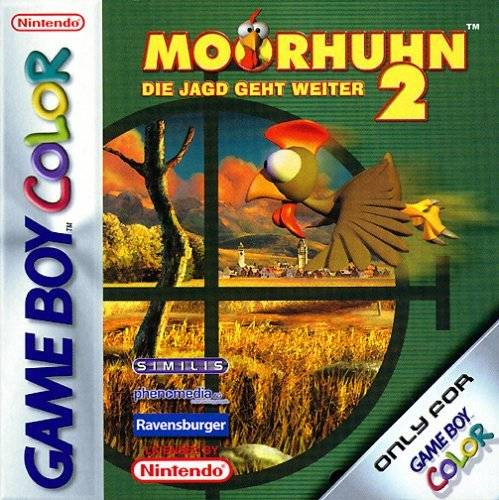
Play Moorhuhn 2 - Die Jagd geht weiter (Germany edition · German) Online
Moorhuhn 2 - Die Jagd geht weiter
Play Moorhuhn 2 - Die Jagd geht weiter online on Game Boy Color. Track moving chickens across a shooting gallery in Moorhuhn 2. Guide the sight, choose your targets and improve a short scoring run by learning how the scene changes while you aim.
Browser play
Game Boy Color (GBC) — EmulatorJS controls
Default Player 1 keyboard mapping. Change keys in Controller Settings.
| Console button | Keyboard |
|---|---|
| ↑ / ↓ / ← / → | ↑ / ↓ / ← / → |
| A / B | Z / X |
| START / SELECT | Enter / V |
Open Controller Settings to configure your keyboard or gamepad. Touch controls are available on mobile.
How to Play Moorhuhn 2 - Die Jagd geht weiter
Quick start
Choose a new round, learn sight movement and test a few deliberate shots. Watch the score before trying to cover more of the scene.
Controls
Use the D-pad to move the sight or menu selection. Follow the displayed buttons for firing and reloading; learn the shot and reload response before pressing repeatedly.
Moorhuhn 2 - Die Jagd geht weiter — About this game
Spend the first attempt noticing target movement and the gap between shots. On a repeat, concentrate on one part of the scene rather than sweeping everywhere. Controlled aiming and a clear firing moment make it easier to compare what helped your score and what wasted a chance.
Cheats
No cheats have been added for this edition.
Player verification and sources
Browser play was reviewed before this edition was published in the catalogue. The date below is the catalogue publication date, not the game’s original release date.
- Browser test and catalogue publication date
- Browsers and devices
- PC: Chrome, Edge and Firefox. Mobile: Chrome on Android and Safari on iPhone and iPad.
- Player engine and core
- EmulatorJS 4.3.0-pre · gb
- Tested by
- rwEmulator
Sources and editorial basis
rwEmulator reviews edition metadata, release information, game manuals and first-hand browser-play notes. Available manuals are linked below; the editorial policy explains how facts are checked and corrections are handled.