More browsing paths
Play Morita Shougi (Japan edition · Japanese) Online
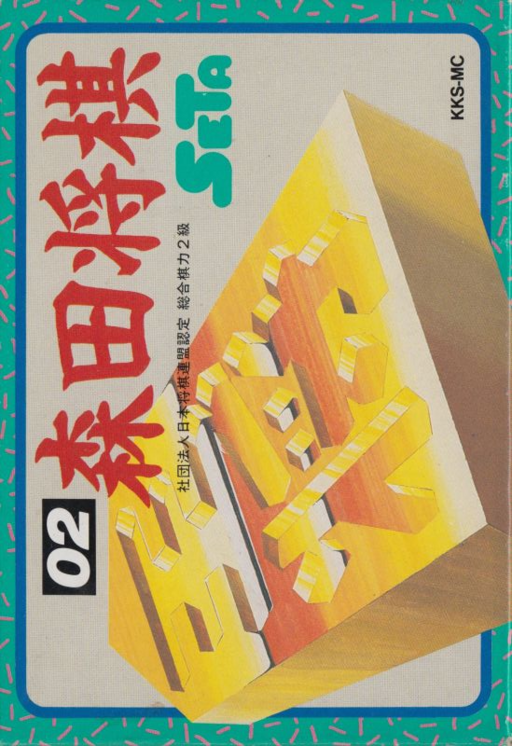
Morita Shougi
Play Morita Shogi online. Play games with three levels of computers and humans, and review the steps by reproducing the game score. You can also enjoy free board settings and consideration of Tsume Shogi.
Browser play
Nintendo Entertainment System (NES) / Famicom — EmulatorJS controls
Default Player 1 keyboard mapping. Change keys in Controller Settings.
| Console button | Keyboard |
|---|---|
| ↑ / ↓ / ← / → | ↑ / ↓ / ← / → |
| A / B | Z / X |
| START / SELECT | Enter / V |
Open Controller Settings to configure your keyboard or gamepad. Touch controls are available on mobile.
How to Play Morita Shougi
Quick start
Press START on the title to wait for input, then press SELECT to go to the menu and select ``Game'' with A. Decide who will play first and who will play second, and first try a combination of yourself and computer L1. Place the cursor on the piece you are pointing to with the cross key, hold it with A, move to the destination, and hit A again. If you make a mistake, press B to cancel. When looking back, use ``Interrupt'' in the menu to return to the basic screen, and then ``Reproduce'' to check the steps.
Controls
Cross key: Move the cursor. A: Deciding on a menu item/holding a piece/hitting a piece. B: Cancellation of held pieces/interruption during computer thinking. In the board settings, press B to change the direction and formation of the pieces. SELECT: Move the cursor onto the menu. START: Stops the title music and waits for input. Continuous forwarding and reversing of "reproduction" can be stopped mid-way by pressing B.
Morita Shougi — About this game
Morita Shogi is a full-fledged shogi software for the Famicom where you pick up pieces on the screen and point them one move at a time. You can set your first move and second move, and you can choose to play against a computer, play with two humans, or watch a game between computers. Opponent strengths range from L1 to L3, with L3 being the strongest. ``Replay'' allows you to move forward or backward through the game record one move at a time, which is useful for reflecting on the game after a game, or for practicing returning to a position you were in the middle of and redoing your moves. In the ``board'' section, you can create pieces to drop and place them any way you like, and in the ``tsume'' section, you can have the computer think about the Tsume Shogi that you have arranged yourself. Difficult situations require time to think, so it's suitable for a way of playing that allows you to think things over slowly. Instead of just playing the game over and over again, aim to improve by looking back at the steps.
Cheats
No cheats have been added for this edition.
Player verification and sources
Browser play was reviewed before this edition was published in the catalogue. The date below is the catalogue publication date, not the game’s original release date.
- Browser test and catalogue publication date
- Browsers and devices
- PC: Chrome, Edge and Firefox. Mobile: Chrome on Android and Safari on iPhone and iPad.
- Player engine and core
- EmulatorJS 4.3.0-pre · nes
- Tested by
- rwEmulator
Sources and editorial basis
rwEmulator reviews edition metadata, release information, game manuals and first-hand browser-play notes. Available manuals are linked below; the editorial policy explains how facts are checked and corrections are handled.