More browsing paths
Play Moshi Monsters - Moshlings Theme Park (US edition) Online
Moshi Monsters - Moshlings Theme Park
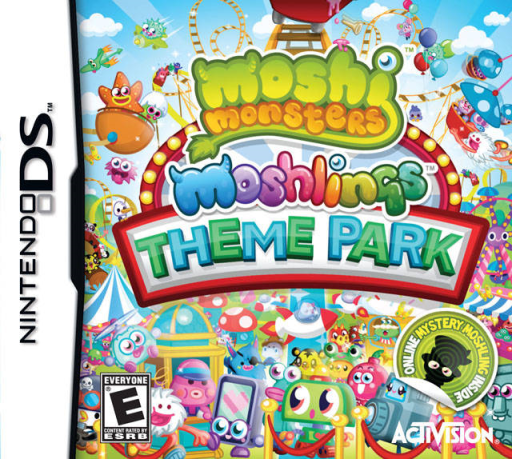
Play Moshi Monsters - Moshlings Theme Park online. Restore an abandoned theme park by playing attractions and finding lost Moshlings.
Browser play
Nintendo DS (NDS) — EmulatorJS controls
Default Player 1 keyboard mapping. Change keys in Controller Settings.
| Console button | Keyboard |
|---|---|
| ↑ / ↓ / ← / → | ↑ / ↓ / ← / → |
| A / B / X / Y | Z / X / A / S |
| L / R | Q / E |
| START / SELECT | Enter / V |
| Microphone | Not assigned |
Open Controller Settings to configure your keyboard or gamepad. Touch controls are available on mobile.
How to Play Moshi Monsters - Moshlings Theme Park
Quick start
Visit the first open attraction and read its controls. Complete one attempt, return to the park and check the new repair or Moshling opportunity before choosing the next stop.
Controls
Select attractions and use the DS action or touch controls shown for each mini-game. Aim a throw, steer the kart, move the hockey striker or tap the emerging target according to that game’s prompt. Check the result before returning to the park menu.
Moshi Monsters - Moshlings Theme Park — About this game
Explore a rundown amusement park, find missing Moshlings and bring its attractions back into use. The DS activities include pie throwing, kart racing, air hockey and Thump a Glump, where you hit the popping monsters with a mallet. Each game uses a different target, so moving quickly is useful only after you know whether the goal is accuracy, racing or reacting to a new target. Begin at the first available attraction, read its instructions and complete a short attempt before returning to the park. Check what that result opens or repairs, then choose another activity or search for a creature rather than repeating a familiar gesture everywhere.
Moshi Monsters - Moshlings Theme Park Game manuals
Cheats
No cheats have been added for this edition.
Player verification and sources
Browser play was reviewed before this edition was published in the catalogue. The date below is the catalogue publication date, not the game’s original release date.
- Browser test and catalogue publication date
- Browsers and devices
- PC: Chrome, Edge and Firefox. Mobile: Chrome on Android and Safari on iPhone and iPad.
- Player engine and core
- EmulatorJS 4.3.0-pre · nds
- Tested by
- rwEmulator
Sources and editorial basis
rwEmulator reviews edition metadata, release information, game manuals and first-hand browser-play notes. Available manuals are linked below; the editorial policy explains how facts are checked and corrections are handled.