More browsing paths
Play Motto! Stitch! DS: Rhythm de Rakugaki Daisakusen (Japan edition · Japanese) Online
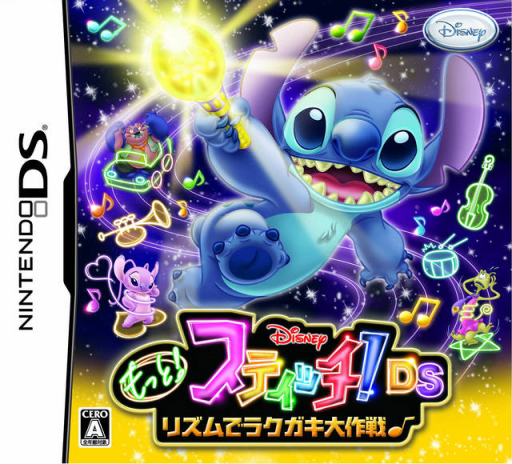
Motto! Stitch! DS - Rhythm de Rakugaki Daisakusen
Play Motto! Stitch! DS: Rhythm de Rakugaki Daisakusen online. Tap musical notes and draw glowing art to carry Stitch through a rhythm adventure.
Browser play
Nintendo DS (NDS) — EmulatorJS controls
Default Player 1 keyboard mapping. Change keys in Controller Settings.
| Console button | Keyboard |
|---|---|
| ↑ / ↓ / ← / → | ↑ / ↓ / ← / → |
| A / B / X / Y | Z / X / A / S |
| L / R | Q / E |
| START / SELECT | Enter / V |
| Microphone | Not assigned |
Open Controller Settings to configure your keyboard or gamepad. Touch controls are available on mobile.
How to Play Motto! Stitch! DS: Rhythm de Rakugaki Daisakusen
Quick start
Start the first song, listen to the beat and touch the first note at its cue. Follow the first light-drawing instruction, then return to notes and finish the stage before checking costumes.
Controls
Use the DS stylus to touch the notes in time with the music. Trace or draw in the offered light-art area when the cue changes, and use repeated taps only for the pattern that requests them. Read the result before selecting another song or outfit.
Motto! Stitch! DS: Rhythm de Rakugaki Daisakusen — About this game
Stitch’s DS rhythm sequel combines timed note tapping with glowing doodles that become part of the adventure. Touch notes to build the melody, then follow a drawing cue when the stage asks for light art. The drawings can animate and help Stitch, while different scenes bring battles or rides such as a Pegasus sequence. Begin with the opening song, listen for its pulse and make one deliberate touch instead of tapping continuously. When the pattern changes to drawing or repeated hits, follow that cue before returning to ordinary notes. Outfit collecting adds a reason to revisit stages, but keeping the current rhythm is the first task.
Motto! Stitch! DS: Rhythm de Rakugaki Daisakusen Game manuals
Cheats
No cheats have been added for this edition.
Player verification and sources
Browser play was reviewed before this edition was published in the catalogue. The date below is the catalogue publication date, not the game’s original release date.
- Browser test and catalogue publication date
- Browsers and devices
- PC: Chrome, Edge and Firefox. Mobile: Chrome on Android and Safari on iPhone and iPad.
- Player engine and core
- EmulatorJS 4.3.0-pre · nds
- Tested by
- rwEmulator
Sources and editorial basis
rwEmulator reviews edition metadata, release information, game manuals and first-hand browser-play notes. Available manuals are linked below; the editorial policy explains how facts are checked and corrections are handled.