More browsing paths
Play Moxie Girlz (NDSi Enhanced · US edition · English) Online
Moxie Girlz
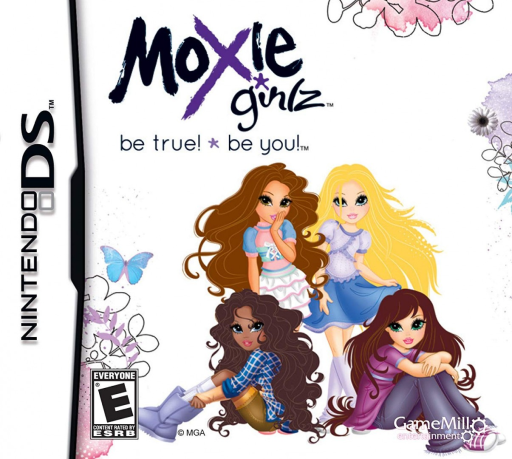
Play Moxie Girlz online. Style models, choose poses and put together pages of a fictional Moxie Girlz magazine.
Browser play
Nintendo DS (NDS) — EmulatorJS controls
Default Player 1 keyboard mapping. Change keys in Controller Settings.
| Console button | Keyboard |
|---|---|
| ↑ / ↓ / ← / → | ↑ / ↓ / ← / → |
| A / B / X / Y | Z / X / A / S |
| L / R | Q / E |
| START / SELECT | Enter / V |
| Microphone | Not assigned |
Open Controller Settings to configure your keyboard or gamepad. Touch controls are available on mobile.
How to Play Moxie Girlz
Quick start
Begin the first magazine issue and read its theme. Pick a model’s outfit and pose, compare the preview and finish one cover or page before making another combination.
Controls
Use the DS stylus to select clothing, accessories, poses and the offered page choices. Compare the preview as you change an option, then use the displayed confirmation to accept it. Follow the current activity’s instructions before switching to another creative mode.
Moxie Girlz — About this game
Join the Moxie Girlz as they create their own fictional magazine, choosing a theme and preparing models for its pages. Change outfits and accessories, select a pose and compare the result with the issue’s idea before finishing the cover or layout. The creative routine gives the fashion choices a purpose within the story rather than making them real shopping advice. Begin with the first issue, read what it needs and try one clothing-and-pose combination before changing every option. Use the DS touch menus to compare choices, then confirm a page only when the picture and theme work together. This is an in-game publication, so its completion does not send a magazine anywhere outside the game.
Moxie Girlz Game manuals
Cheats
No cheats have been added for this edition.
Player verification and sources
Browser play was reviewed before this edition was published in the catalogue. The date below is the catalogue publication date, not the game’s original release date.
- Browser test and catalogue publication date
- Browsers and devices
- PC: Chrome, Edge and Firefox. Mobile: Chrome on Android and Safari on iPhone and iPad.
- Player engine and core
- EmulatorJS 4.3.0-pre · nds
- Tested by
- rwEmulator
Sources and editorial basis
rwEmulator reviews edition metadata, release information, game manuals and first-hand browser-play notes. Available manuals are linked below; the editorial policy explains how facts are checked and corrections are handled.