More browsing paths
Play Mr. Angry (Aftermarket / Homebrew · World edition · English) Online
Mr. Angry
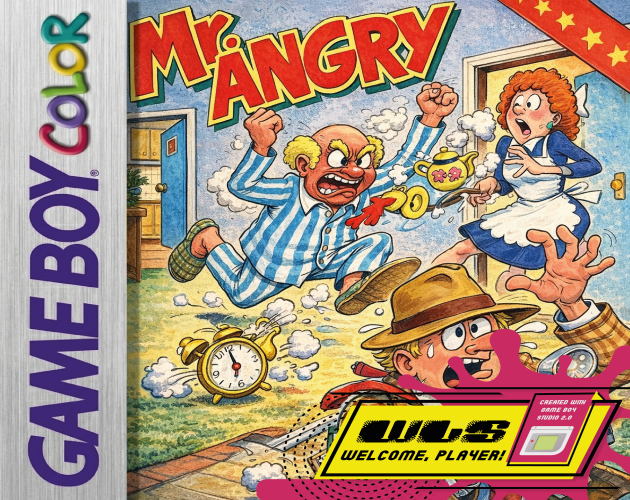
Play Mr. Angry online on GBC. Search a hotel as reporter Stringer, looking for Polly Platinum while collecting a key and a flash bulb before the deadline.
Browser play
Game Boy Color (GBC) — EmulatorJS controls
Default Player 1 keyboard mapping. Change keys in Controller Settings.
| Console button | Keyboard |
|---|---|
| ↑ / ↓ / ← / → | ↑ / ↓ / ← / → |
| A / B | Z / X |
| START / SELECT | Enter / V |
Open Controller Settings to configure your keyboard or gamepad. Touch controls are available on mobile.
How to Play Mr. Angry
Quick start
Start on easy, find a safe route between floors and learn how a pursuer reacts before searching the next room.
Controls
Use the directional pad to guide Stringer and the game’s jump/action instructions to move between floors and interact with objectives. Watch the deadline while planning a route.
Mr. Angry — About this game
The objective combines finding the subject with preparing the equipment needed for the photograph. Check rooms without losing track of an escape route, and use vertical movement when a corridor fills with people. Each difficulty has seven levels, making a reliable search pattern more useful than a single lucky dash. Locate what you need and leave time for the final approach.
Cheats
No cheats have been added for this edition.
Player verification and sources
Browser play was reviewed before this edition was published in the catalogue. The date below is the catalogue publication date, not the game’s original release date.
- Browser test and catalogue publication date
- Browsers and devices
- PC: Chrome, Edge and Firefox. Mobile: Chrome on Android and Safari on iPhone and iPad.
- Player engine and core
- EmulatorJS 4.3.0-pre · gb
- Tested by
- rwEmulator
Sources and editorial basis
rwEmulator reviews edition metadata, release information, game manuals and first-hand browser-play notes. Available manuals are linked below; the editorial policy explains how facts are checked and corrections are handled.