More browsing paths
Play My Amusement Park (US edition) Online
My Amusement Park
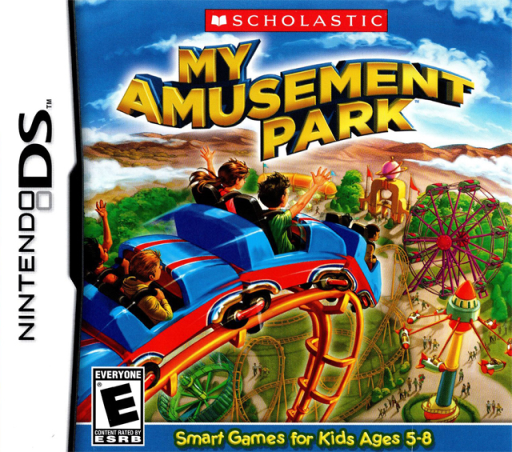
Play My Amusement Park online. Build rides, solve maintenance puzzles and earn money to expand your theme park.
Browser play
Nintendo DS (NDS) — EmulatorJS controls
Default Player 1 keyboard mapping. Change keys in Controller Settings.
| Console button | Keyboard |
|---|---|
| ↑ / ↓ / ← / → | ↑ / ↓ / ← / → |
| A / B / X / Y | Z / X / A / S |
| L / R | Q / E |
| START / SELECT | Enter / V |
| Microphone | Not assigned |
Open Controller Settings to configure your keyboard or gamepad. Touch controls are available on mobile.
How to Play My Amusement Park
Quick start
Choose a park plan, build the first affordable attraction and play its easiest task. Check your earnings, repair anything that needs attention and save toward the next ride or food stand.
Controls
Use the DS stylus to choose park sites, attractions and the current maintenance activity. Match pictures, slide vehicles or serve the requested food as its mini-game instructs. Confirm a building purchase after checking the displayed cost and cash remaining.
My Amusement Park — About this game
Choose a park plan and build a small amusement park with rides, food stands and special attractions. Logic and memory games earn the money needed for further construction, while repairs, weeding and serving customers keep the park active. A jammed car park becomes a sliding-vehicle puzzle rather than just an expense on a chart. Begin with an affordable attraction and one easy mini-game, then check your cash before adding another ride. If something breaks, deal with its task before spending all the budget on new buildings. The DS touch activities connect the park design to practical little challenges, so reading each task’s rule matters more than simply buying every available object.
My Amusement Park Game manuals
Cheats
No cheats have been added for this edition.
Player verification and sources
Browser play was reviewed before this edition was published in the catalogue. The date below is the catalogue publication date, not the game’s original release date.
- Browser test and catalogue publication date
- Browsers and devices
- PC: Chrome, Edge and Firefox. Mobile: Chrome on Android and Safari on iPhone and iPad.
- Player engine and core
- EmulatorJS 4.3.0-pre · nds
- Tested by
- rwEmulator
Sources and editorial basis
rwEmulator reviews edition metadata, release information, game manuals and first-hand browser-play notes. Available manuals are linked below; the editorial policy explains how facts are checked and corrections are handled.