More browsing paths
Play MySims Party (US edition · English / French / Spanish) Online
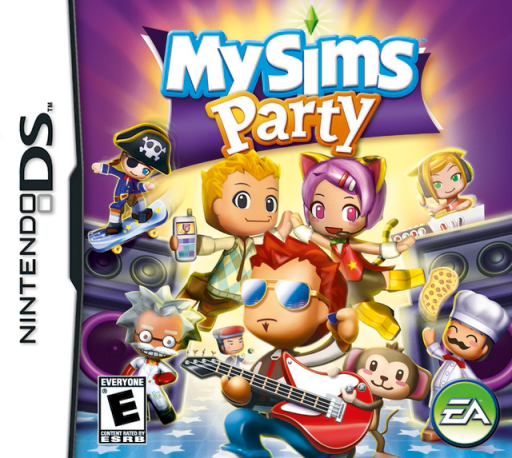
MySims - Party
Play MySims Party online. Build a festival team and win mini-game tournaments to attract new residents.
Browser play
Nintendo DS (NDS) — EmulatorJS controls
Default Player 1 keyboard mapping. Change keys in Controller Settings.
| Console button | Keyboard |
|---|---|
| ↑ / ↓ / ← / → | ↑ / ↓ / ← / → |
| A / B / X / Y | Z / X / A / S |
| L / R | Q / E |
| START / SELECT | Enter / V |
| Microphone | Not assigned |
Open Controller Settings to configure your keyboard or gamepad. Touch controls are available on mobile.
How to Play MySims Party
Quick start
Create a Sim and assign skill points, finish the town introduction and enter the first festival. Match a teammate to the next event’s attribute, read its controls and complete the tournament.
Controls
Select the festival, team and character through the DS menus. Before each mini-game read whether it uses directional or action buttons, touch gestures or another indicated input; act only after its start signal.
MySims Party — About this game
The town holds festivals to bring in residents, and your team competes in their mini-game tournaments. Character skills in Power, Speed and Technique affect which events suit them best. Win a festival and new residents bring more activities, while errands help make potential teammates into friends. Begin by creating a Sim and distributing skill points, then take the town tour before the first tournament. Compare each mini-game’s attribute focus with your available characters. Read the rules between events because some use buttons and others touch input; one control method will not cover the whole festival.
MySims Party Game manuals
Cheats
No cheats have been added for this edition.
Player verification and sources
Browser play was reviewed before this edition was published in the catalogue. The date below is the catalogue publication date, not the game’s original release date.
- Browser test and catalogue publication date
- Browsers and devices
- PC: Chrome, Edge and Firefox. Mobile: Chrome on Android and Safari on iPhone and iPad.
- Player engine and core
- EmulatorJS 4.3.0-pre · nds
- Tested by
- rwEmulator
Sources and editorial basis
rwEmulator reviews edition metadata, release information, game manuals and first-hand browser-play notes. Available manuals are linked below; the editorial policy explains how facts are checked and corrections are handled.