More browsing paths
Play MySims (US edition · English / French / Spanish) Online
MySims
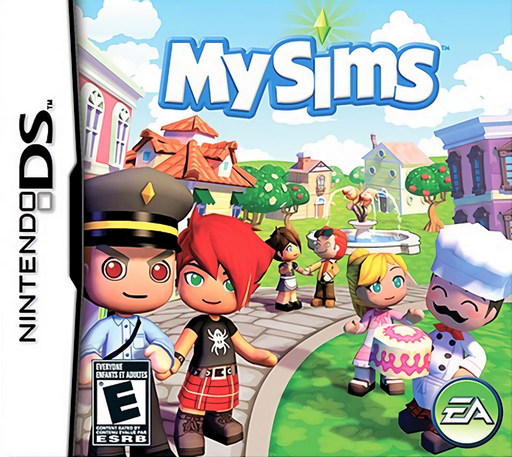
Play MySims online. Help a resort town by meeting residents, cheering tourists and playing activities.
Browser play
Nintendo DS (NDS) — EmulatorJS controls
Default Player 1 keyboard mapping. Change keys in Controller Settings.
| Console button | Keyboard |
|---|---|
| ↑ / ↓ / ← / → | ↑ / ↓ / ← / → |
| A / B / X / Y | Z / X / A / S |
| L / R | Q / E |
| START / SELECT | Enter / V |
| Microphone | Not assigned |
Open Controller Settings to configure your keyboard or gamepad. Touch controls are available on mobile.
How to Play MySims
Quick start
Follow the mayor’s introduction, talk to nearby residents and try one tourist conversation. Watch the reaction and fill the conversation meter before leaving for a leisure activity.
Controls
Touch a destination to move; placing the stylus farther from your Sim changes movement speed. Approach and tap a person or object to interact. Use corner icons for the map or tools and touch the appropriate conversation reaction.
MySims — About this game
Move into a resort town and help its residents and visitors through conversations, purchases and short activities. Tourist conversations become a small response game: read body language and choose a suitable conversational act to improve the mood. Fishing and racquetball provide a break from walking and talking. Begin with the mayor’s introduction, visit nearby residents and learn one activity before exploring farther. A tourist’s gesture gives more direction than tapping the same reaction repeatedly. Use the map and time display to plan where to go, returning to shops or residents as the town develops.
MySims Game manuals
Cheats
No cheats have been added for this edition.
Player verification and sources
Browser play was reviewed before this edition was published in the catalogue. The date below is the catalogue publication date, not the game’s original release date.
- Browser test and catalogue publication date
- Browsers and devices
- PC: Chrome, Edge and Firefox. Mobile: Chrome on Android and Safari on iPhone and iPad.
- Player engine and core
- EmulatorJS 4.3.0-pre · nds
- Tested by
- rwEmulator
Sources and editorial basis
rwEmulator reviews edition metadata, release information, game manuals and first-hand browser-play notes. Available manuals are linked below; the editorial policy explains how facts are checked and corrections are handled.