More browsing paths
Play Mystery Quest - Curse of the Ancient Spirits (US edition · English / French) Online
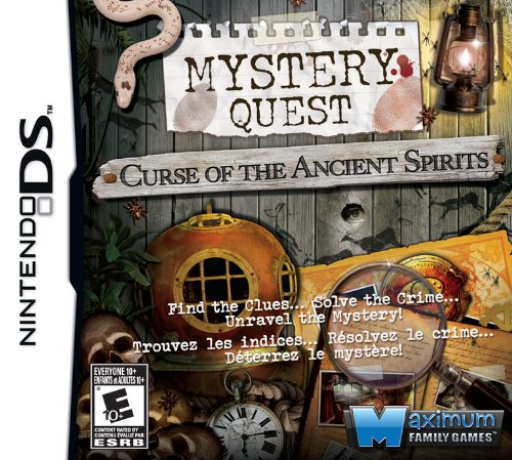
Mystery Quest - Curse of the Ancient Spirits
Play Mystery Quest - Curse of the Ancient Spirits online. Follow Virginia’s investigation through hidden objects and scene puzzles.
Browser play
Nintendo DS (NDS) — EmulatorJS controls
Default Player 1 keyboard mapping. Change keys in Controller Settings.
| Console button | Keyboard |
|---|---|
| ↑ / ↓ / ← / → | ↑ / ↓ / ← / → |
| A / B / X / Y | Z / X / A / S |
| L / R | Q / E |
| START / SELECT | Enter / V |
| Microphone | Not assigned |
Open Controller Settings to configure your keyboard or gamepad. Touch controls are available on mobile.
How to Play Mystery Quest - Curse of the Ancient Spirits
Quick start
Read the opening scene’s list and find one clearly identifiable object. Check its removal from the request, finish the remaining search and read the next puzzle’s rules.
Controls
Use the DS stylus to select listed objects in the scene and choose available location or puzzle controls. In a separate puzzle, follow the indicated piece-selection or dragging action rather than tapping unrelated scenery.
Mystery Quest - Curse of the Ancient Spirits — About this game
Virginia MacNara searches for the truth about her father’s death. Arrows move between locations, and searches alternate with small puzzles. Only objects currently visible on the request list count, so consult the updated list rather than selecting something remembered from a hidden part. Search each illustrated scene for the requested objects, checking the list against shapes partly hidden among other things. Begin by scanning one part of the scene at a time instead of tapping random decorations. Mark a clear match, check that the request is accepted and then move to the next object. A new puzzle changes the task, so read its instruction before carrying over the searching gesture.
Mystery Quest - Curse of the Ancient Spirits Game manuals
Cheats
No cheats have been added for this edition.
Player verification and sources
Browser play was reviewed before this edition was published in the catalogue. The date below is the catalogue publication date, not the game’s original release date.
- Browser test and catalogue publication date
- Browsers and devices
- PC: Chrome, Edge and Firefox. Mobile: Chrome on Android and Safari on iPhone and iPad.
- Player engine and core
- EmulatorJS 4.3.0-pre · nds
- Tested by
- rwEmulator
Sources and editorial basis
rwEmulator reviews edition metadata, release information, game manuals and first-hand browser-play notes. Available manuals are linked below; the editorial policy explains how facts are checked and corrections are handled.