More browsing paths
Play Custom Robo (Japan edition) Online
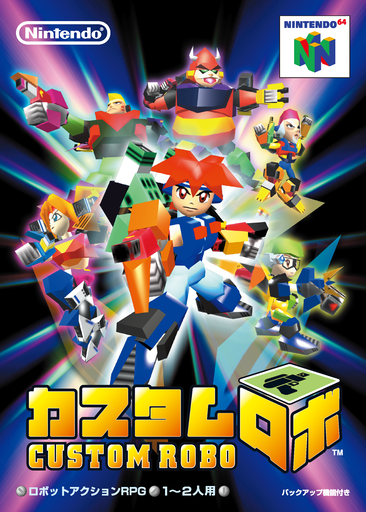
Custom Robo
Play Custom Robo online. Build a small fighting robot, earn new parts and challenge rival commanders through a story of conversations and arena battles.
Browser play
Nintendo 64 (N64) — EmulatorJS controls
Default Player 1 keyboard mapping. Change keys in Controller Settings.
| Console button | Keyboard |
|---|---|
| ↑ / ↓ / ← / → | ↑ / ↓ / ← / → |
| A / B | X / S |
| START | Enter |
| L / R | Q / E |
| Z | Tab |
| L-STICK ↑ / ↓ / ← / → | T / G / F / H |
| C ↑ / ↓ / ← / → | I / K / J / L |
Open Controller Settings to configure your keyboard or gamepad. Touch controls are available on mobile.
How to Play Custom Robo
Quick start
Press START to begin Scenario Mode, choose an empty file with A and enter a name using the stick and A. Finish with START. Move through town with the stick and speak with A. Follow the early conversations into a battle, inspect your equipment, then practice firing with A and jumping with R before adding the other weapons.
Controls
Stick moves the character, robot and cursor. A talks/confirms, or fires the gun in battle; B fires a bomb, Z deploys a pod, R jumps or moves in the air, and C performs a close attack. START opens the map menu or pauses battle; in customization it starts test firing. C shows part descriptions there.
Custom Robo — About this game
A newcomer receives the robot Ray and enters a world where commanders fight with customized machines. Explore the town, talk to other characters and move into compact arena battles. Guns, bombs, pods and legs change your equipment, so preparing a combination is part of each encounter. Winning can award part data, which must be materialized before the equipment becomes usable. The customization screen provides part descriptions and a test-firing option. Begin in Scenario Mode; Arcade Mode becomes available as you progress.
Custom Robo Game manuals
Cheats
No cheats have been added for this edition.
Player verification and sources
Browser play was reviewed before this edition was published in the catalogue. The date below is the catalogue publication date, not the game’s original release date.
- Browser test and catalogue publication date
- Browsers and devices
- PC: Chrome, Edge and Firefox. Mobile: Chrome on Android and Safari on iPhone and iPad.
- Player engine and core
- EmulatorJS 4.3.0-pre · n64
- Tested by
- rwEmulator
Sources and editorial basis
rwEmulator reviews edition metadata, release information, game manuals and first-hand browser-play notes. Available manuals are linked below; the editorial policy explains how facts are checked and corrections are handled.