More browsing paths
Play Lode Runner 3-D (US edition) Online
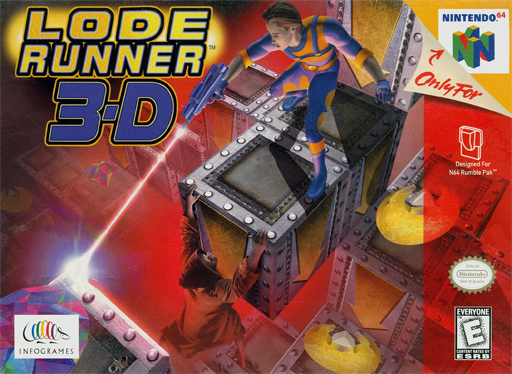
Lode Runner 3-D
Play Lode Runner 3-D online. Learn the N64 laser, bomb and camera controls, recover gold and find routes through five worlds of changing pathways.
Browser play
Nintendo 64 (N64) — EmulatorJS controls
Default Player 1 keyboard mapping. Change keys in Controller Settings.
| Console button | Keyboard |
|---|---|
| ↑ / ↓ / ← / → | ↑ / ↓ / ← / → |
| A / B | X / S |
| START | Enter |
| L / R | Q / E |
| Z | Tab |
| L-STICK ↑ / ↓ / ← / → | T / G / F / H |
| C ↑ / ↓ / ← / → | I / K / J / L |
Open Controller Settings to configure your keyboard or gamepad. Touch controls are available on mobile.
How to Play Lode Runner 3-D
Quick start
Press A at startup and choose a NEW GAME slot with the stick and A. Select the first available world and reach its first stage through the hub’s transit booths. Before moving in the level, use the camera to examine the frozen layout. Then plan a route to enough gold and the exit portal.
Controls
Stick moves relative to your view, not the character’s facing. A operates devices; B tosses a bomb ahead; Z fires the laser into the tile in front. R switches default/free camera; C buttons pan and zoom. START pauses. Menus use A to confirm and B to return.
Lode Runner 3-D — About this game
Lode Runner 3-D sends you into the Emperor Monk’s realm to recover stolen gold. Each level is a maze of paths where collecting enough gold opens the exit portal. Your laser destroys fragile tiles ahead, sometimes uncovering hidden gold, but those tiles grow back after eight seconds. Bombs affect nearby tiles and threaten anyone close to the blast, so using them changes both your route and your timing. Navigation pieces combine into the cards needed to enter later worlds. Stage hubs connect the journey across five worlds. A level begins frozen, letting you inspect its paths with the camera before your first movement or action starts everything.
Lode Runner 3-D Game manuals
Cheats
No cheats have been added for this edition.
Player verification and sources
Browser play was reviewed before this edition was published in the catalogue. The date below is the catalogue publication date, not the game’s original release date.
- Browser test and catalogue publication date
- Browsers and devices
- PC: Chrome, Edge and Firefox. Mobile: Chrome on Android and Safari on iPhone and iPad.
- Player engine and core
- EmulatorJS 4.3.0-pre · n64
- Tested by
- rwEmulator
Sources and editorial basis
rwEmulator reviews edition metadata, release information, game manuals and first-hand browser-play notes. Available manuals are linked below; the editorial policy explains how facts are checked and corrections are handled.