More browsing paths
Play Mario no Photopie (Japan edition) Online
Mario no Photopie
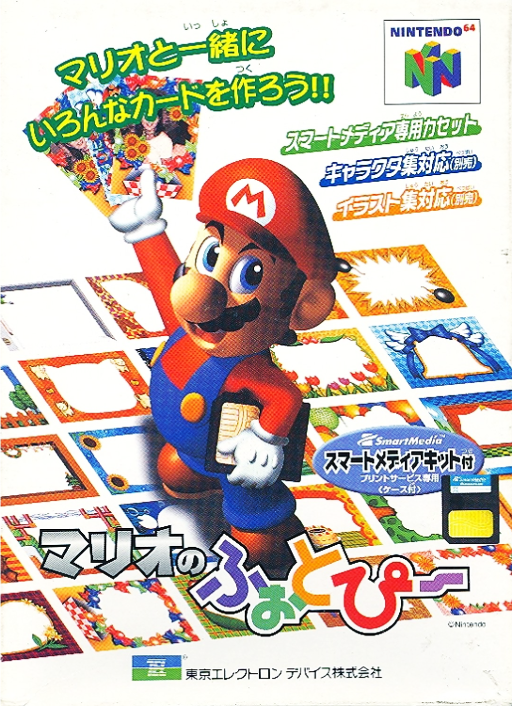
Play Mario no Photopie online. Compose pictures with photo layers, drawings, text and decorative artwork in Mario's image-editing workshop.
Browser play
Nintendo 64 (N64) — EmulatorJS controls
Default Player 1 keyboard mapping. Change keys in Controller Settings.
| Console button | Keyboard |
|---|---|
| ↑ / ↓ / ← / → | ↑ / ↓ / ← / → |
| A / B | X / S |
| START | Enter |
| L / R | Q / E |
| Z | Tab |
| L-STICK ↑ / ↓ / ← / → | T / G / F / H |
| C ↑ / ↓ / ← / → | I / K / J / L |
Open Controller Settings to configure your keyboard or gamepad. Touch controls are available on mobile.
How to Play Mario no Photopie
Quick start
Press START at the title and choose アトリエ with the stick and A. In セルメニュー, select a cell and use じょうたい to assign らくがき. Open おえかきメニュー, choose ペン and a color, then hold A and move the stick to draw.
Controls
Stick moves the cursor and selects rooms; D-pad moves the cursor slowly for fine placement. A chooses functions or grabs with the hand tool. With the pen selected, hold A and move the stick to draw. B shows/hides the pop-up menu in the atelier and cancels actions. C buttons scroll only when shortcuts are turned ON in options.
Mario no Photopie — About this game
Mario no Photopie builds a picture from six cells that hold different kinds of content, including photos, frames, freehand marks and text. Arrange elements in front of or behind one another, choose colors and add lines or shapes with the drawing tools. Its rooms separate editing, stored-work management, slideshows and image-based puzzles. Photo import and output belonged to the original SmartMedia hardware workflow; the editing menus also offer a practical starting point for exploring the software's composition tools.
Mario no Photopie Game manuals
Cheats
No cheats have been added for this edition.
Player verification and sources
Browser play was reviewed before this edition was published in the catalogue. The date below is the catalogue publication date, not the game’s original release date.
- Browser test and catalogue publication date
- Browsers and devices
- PC: Chrome, Edge and Firefox. Mobile: Chrome on Android and Safari on iPhone and iPad.
- Player engine and core
- EmulatorJS 4.3.0-pre · n64
- Tested by
- rwEmulator
Sources and editorial basis
rwEmulator reviews edition metadata, release information, game manuals and first-hand browser-play notes. Available manuals are linked below; the editorial policy explains how facts are checked and corrections are handled.