More browsing paths
Play SimCity 2000 (Japan edition) Online
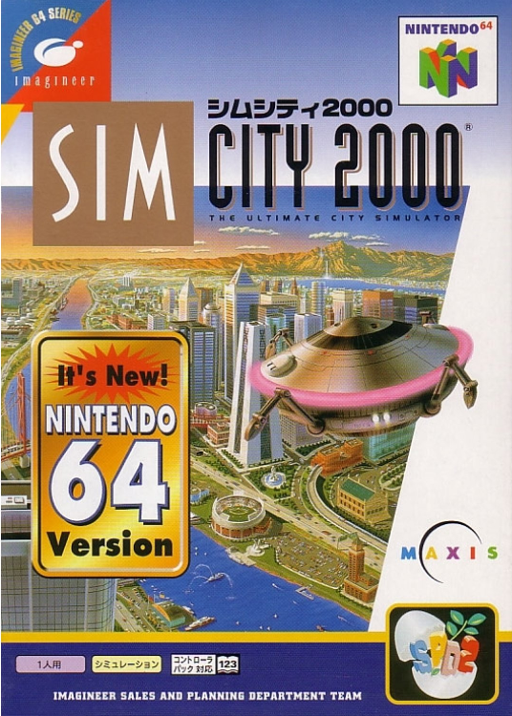
SimCity 2000
Play SimCity 2000 online, learn the N64 circular menu and camera controls, and plan a city around roads, utilities and a manageable budget.
Browser play
Nintendo 64 (N64) — EmulatorJS controls
Default Player 1 keyboard mapping. Change keys in Controller Settings.
| Console button | Keyboard |
|---|---|
| ↑ / ↓ / ← / → | ↑ / ↓ / ← / → |
| A / B | X / S |
| START | Enter |
| L / R | Q / E |
| Z | Tab |
| L-STICK ↑ / ↓ / ← / → | T / G / F / H |
| C ↑ / ↓ / ← / → | I / K / J / L |
Open Controller Settings to configure your keyboard or gamepad. Touch controls are available on mobile.
How to Play SimCity 2000
Quick start
Begin a new city and pause time with START while you plan. Open the tool wheel with A, choose a power facility, then lay a small road network and nearby residential and commercial or industrial zones. Use the electricity and water tools to connect the district. Resume time to observe development before spending on a large expansion.
Controls
Stick moves the cursor. A opens the circular menu and confirms commands or construction; B closes it or cancels a planned build, and Z also cancels construction planning. Hold R while moving the cursor to pan the camera. C buttons zoom or rotate the view. START pauses time. D-pad shortcuts access construction tools and can be reassigned.
SimCity 2000 — About this game
SimCity 2000 puts you in charge of a city whose districts depend on infrastructure rather than isolated building placement. Residential, commercial and industrial areas need connections, power and water, while taxes fund further expansion and services. Growing too quickly can leave expenses ahead of income, so inspecting a square or watching a city news report helps identify what needs attention. The N64 version uses a circular tool menu operated with the stick, with shortcuts for common construction tasks. Pausing time gives you room to plan a layout before allowing the city to develop around it.
SimCity 2000 Game manuals
Cheats
No cheats have been added for this edition.
Player verification and sources
Browser play was reviewed before this edition was published in the catalogue. The date below is the catalogue publication date, not the game’s original release date.
- Browser test and catalogue publication date
- Browsers and devices
- PC: Chrome, Edge and Firefox. Mobile: Chrome on Android and Safari on iPhone and iPad.
- Player engine and core
- EmulatorJS 4.3.0-pre · n64
- Tested by
- rwEmulator
Sources and editorial basis
rwEmulator reviews edition metadata, release information, game manuals and first-hand browser-play notes. Available manuals are linked below; the editorial policy explains how facts are checked and corrections are handled.