More browsing paths
Play Star Wars: Rogue Squadron (Japan edition) Online
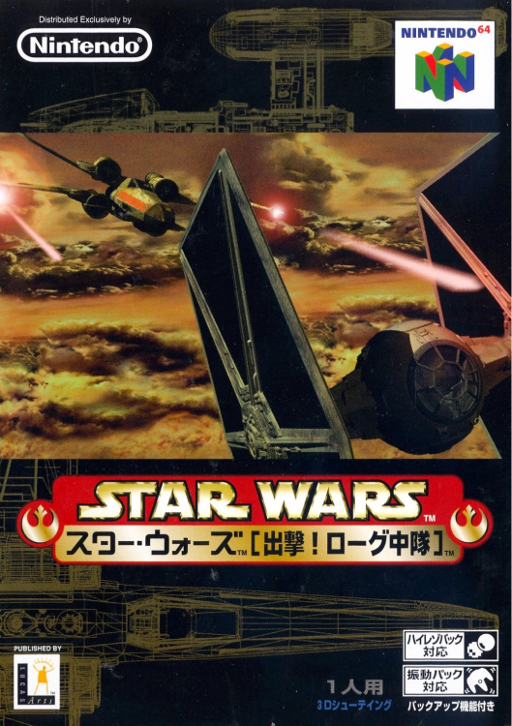
Star Wars - Shutsugeki! Rogue Chuutai
Play Star Wars: Rogue Squadron online. Learn Luke’s default N64 controls, launch the Mos Eisley mission and work towards better mission medals.
Browser play
Nintendo 64 (N64) — EmulatorJS controls
Default Player 1 keyboard mapping. Change keys in Controller Settings.
| Console button | Keyboard |
|---|---|
| ↑ / ↓ / ← / → | ↑ / ↓ / ← / → |
| A / B | X / S |
| START | Enter |
| L / R | Q / E |
| Z | Tab |
| L-STICK ↑ / ↓ / ← / → | T / G / F / H |
| C ↑ / ↓ / ← / → | I / K / J / L |
Open Controller Settings to configure your keyboard or gamepad. Touch controls are available on mobile.
How to Play Star Wars: Rogue Squadron
Quick start
Choose START, create a save in an empty slot and enter a name. Select Ambush at Mos Eisley, read its briefing with a C button, then launch in the assigned X-wing. Keep Luke’s default settings while learning steering, thrust, braking and blaster fire.
Controls
Luke’s default settings: stick steers; A thrust; B blasters; Z brake; R+stick roll where supported; C down secondary weapon; C left fire linking; C right craft special function; L camera; START pause. Secondary and special functions depend on the craft.
Star Wars: Rogue Squadron — About this game
Rogue Squadron focuses on objective-based flight combat rather than simply destroying everything in sight. Rebel craft take on ground targets and enemy aircraft while escorting transports or protecting key locations. The assigned craft determines your handling, weapons and special functions. Completing missions opens the next assignments, and replaying cleared levels lets you pursue better medals or try newly unlocked craft. Speed helps you cross the battlefield, but braking and reading the mission briefing are vital when a target or ally needs attention.
Star Wars: Rogue Squadron Game manuals
Cheats
No cheats have been added for this edition.
Player verification and sources
Browser play was reviewed before this edition was published in the catalogue. The date below is the catalogue publication date, not the game’s original release date.
- Browser test and catalogue publication date
- Browsers and devices
- PC: Chrome, Edge and Firefox. Mobile: Chrome on Android and Safari on iPhone and iPad.
- Player engine and core
- EmulatorJS 4.3.0-pre · n64
- Tested by
- rwEmulator
Sources and editorial basis
rwEmulator reviews edition metadata, release information, game manuals and first-hand browser-play notes. Available manuals are linked below; the editorial policy explains how facts are checked and corrections are handled.