More browsing paths
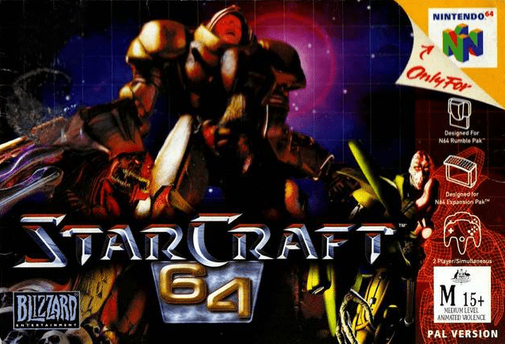
Play StarCraft 64 (Australia edition) Online
StarCraft 64
Play StarCraft 64 online. Learn worker orders, group selection and N64 command shortcuts before building a base and leading the Terran campaign.
Browser play
Nintendo 64 (N64) — EmulatorJS controls
Default Player 1 keyboard mapping. Change keys in Controller Settings.
| Console button | Keyboard |
|---|---|
| ↑ / ↓ / ← / → | ↑ / ↓ / ← / → |
| A / B | X / S |
| START | Enter |
| L / R | Q / E |
| Z | Tab |
| L-STICK ↑ / ↓ / ← / → | T / G / F / H |
| C ↑ / ↓ / ← / → | I / K / J / L |
Open Controller Settings to configure your keyboard or gamepad. Touch controls are available on mobile.
How to Play StarCraft 64
Quick start
Choose the single-player training missions before beginning the Terran campaign. Select a worker with A, then use B on minerals to start gathering. Follow the training instructions for construction and troop production, and practise selecting a group by holding A and dragging a box.
Controls
Stick: cursor; A: select; hold A and drag: group selection; B: context order such as move, attack or gather; C buttons: displayed command choices; hold Z: faster cursor; Z+L: minimap toggle; Z+R: Master Build Box; START: pause.
StarCraft 64 — About this game
StarCraft 64 combines resource management and real-time battlefield orders. Workers gather minerals and gas, structures unlock production and research, and armies need enough support to keep growing. The three factions use different units and development paths, so scouting matters before committing to an attack. The console interface uses selection boxes, context orders and command shortcuts. Training missions teach these tools before the campaign asks you to manage a base and several fronts at once.
StarCraft 64 Game manuals
Cheats
No cheats have been added for this edition.
Player verification and sources
Browser play was reviewed before this edition was published in the catalogue. The date below is the catalogue publication date, not the game’s original release date.
- Browser test and catalogue publication date
- Browsers and devices
- PC: Chrome, Edge and Firefox. Mobile: Chrome on Android and Safari on iPhone and iPad.
- Player engine and core
- EmulatorJS 4.3.0-pre · n64
- Tested by
- rwEmulator
Sources and editorial basis
rwEmulator reviews edition metadata, release information, game manuals and first-hand browser-play notes. Available manuals are linked below; the editorial policy explains how facts are checked and corrections are handled.