More browsing paths
Play Super Bowling (US edition) Online
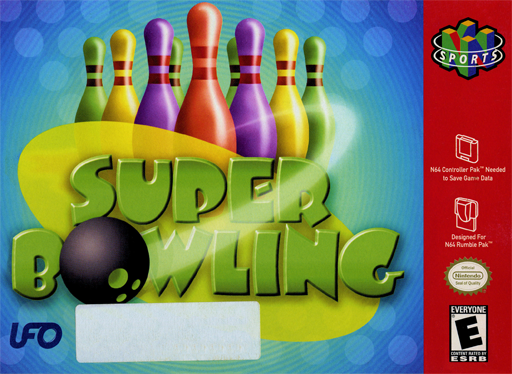
Super Bowling
Play Super Bowling online. Line up a bowling shot, shape its curve and time the release, or tackle golf-style courses, split challenges and a two-lane duel.
Browser play
Nintendo 64 (N64) — EmulatorJS controls
Default Player 1 keyboard mapping. Change keys in Controller Settings.
| Console button | Keyboard |
|---|---|
| ↑ / ↓ / ← / → | ↑ / ↓ / ← / → |
| A / B | X / S |
| START | Enter |
| L / R | Q / E |
| Z | Tab |
| L-STICK ↑ / ↓ / ← / → | T / G / F / H |
| C ↑ / ↓ / ← / → | I / K / J / L |
Open Controller Settings to configure your keyboard or gamepad. Touch controls are available on mobile.
How to Play Super Bowling
Quick start
Start with Variety Mode, Open Bowling and Single Play. Set one human player, then choose a character and lane. Use the stick and A to set the target and release spots. Adjust curve and power, press A to start the throw, then press A again as the blue line reaches the bright yellow center of the meter.
Controls
Stick moves the cursor; during setup it sets target/release positions, then left/right adjusts curve and up/down adjusts power. A confirms and starts the throw; press it again at the meter's bright yellow center for release timing. D-pad left/right changes ball weight while setting target/release. START opens the pause menu.
Super Bowling — About this game
Choose a character and lane, set the target and release positions, then adjust curve and power before timing the delivery. Open Bowling uses familiar ten-frame scoring, with individual, team and doubles options. Golf Bowling instead counts throws across nine holes, while Challenge Bowling asks you to clear difficult pin setups with a limited supply of balls. Practice lets you arrange pins yourself. In Stage Mode, winning two of three games against an opponent unlocks that character and lane for other modes; Versus adds pressure as each lane's deadline advances toward the foul line.
Super Bowling Game manuals
Cheats
No cheats have been added for this edition.
Player verification and sources
Browser play was reviewed before this edition was published in the catalogue. The date below is the catalogue publication date, not the game’s original release date.
- Browser test and catalogue publication date
- Browsers and devices
- PC: Chrome, Edge and Firefox. Mobile: Chrome on Android and Safari on iPhone and iPad.
- Player engine and core
- EmulatorJS 4.3.0-pre · n64
- Tested by
- rwEmulator
Sources and editorial basis
rwEmulator reviews edition metadata, release information, game manuals and first-hand browser-play notes. Available manuals are linked below; the editorial policy explains how facts are checked and corrections are handled.