More browsing paths
Play Super Mario 64 (Japan edition · Revision 1) Online
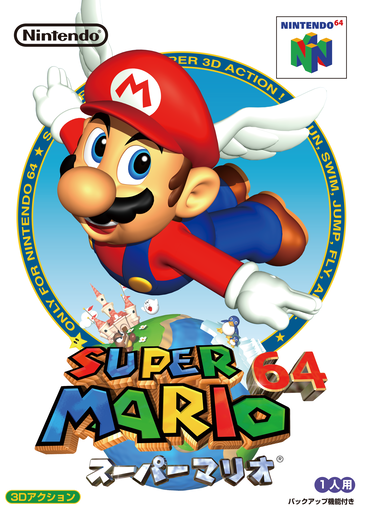
Super Mario 64
Play Super Mario 64 online. Explore Peach’s castle, leap into paintings and earn Power Stars by solving challenges across open 3D courses.
Browser play
Nintendo 64 (N64) — EmulatorJS controls
Default Player 1 keyboard mapping. Change keys in Controller Settings.
| Console button | Keyboard |
|---|---|
| ↑ / ↓ / ← / → | ↑ / ↓ / ← / → |
| A / B | X / S |
| START | Enter |
| L / R | Q / E |
| Z | Tab |
| L-STICK ↑ / ↓ / ← / → | T / G / F / H |
| C ↑ / ↓ / ← / → | I / K / J / L |
Open Controller Settings to configure your keyboard or gamepad. Touch controls are available on mobile.
How to Play Super Mario 64
Quick start
Choose a save file, enter the castle and go through the unlocked door on the left. Jump into the Bob-omb painting and follow the path uphill to the first star mission.
Controls
Control Stick: move; A: jump or swim; B: punch, grab or talk; Z: crouch; airborne Z: ground pound; C buttons: adjust the camera; START: pause.
Super Mario 64 — About this game
Mario searches Peach’s castle for the Power Stars stolen by Bowser. Paintings lead to courses with several missions, from racing and climbing to collecting red coins. New stars unlock more rooms, while careful jumps, camera adjustments and underwater exploration reveal routes that are easy to miss on a first visit.
Super Mario 64 Game manuals
Cheats
No cheats have been added for this edition.
Player verification and sources
Browser play was reviewed before this edition was published in the catalogue. The date below is the catalogue publication date, not the game’s original release date.
- Browser test and catalogue publication date
- Browsers and devices
- PC: Chrome, Edge and Firefox. Mobile: Chrome on Android and Safari on iPhone and iPad.
- Player engine and core
- EmulatorJS 4.3.0-pre · n64
- Tested by
- rwEmulator
Sources and editorial basis
rwEmulator reviews edition metadata, release information, game manuals and first-hand browser-play notes. Available manuals are linked below; the editorial policy explains how facts are checked and corrections are handled.