More browsing paths
Play Yoshi's Story (Japan edition) Online
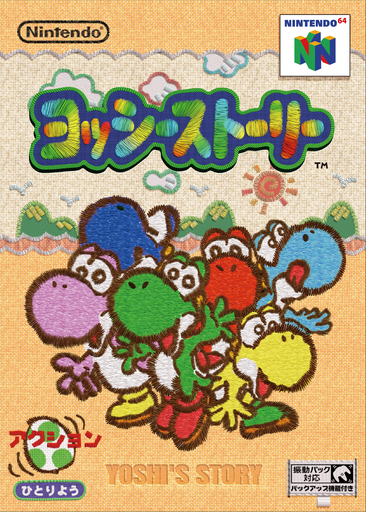
Yoshi Story
Play Yoshi's Story online. Explore a picture-book world, sniff out hidden fruit and finish each course by eating thirty pieces of fruit.
Browser play
Nintendo 64 (N64) — EmulatorJS controls
Default Player 1 keyboard mapping. Change keys in Controller Settings.
| Console button | Keyboard |
|---|---|
| ↑ / ↓ / ← / → | ↑ / ↓ / ← / → |
| A / B | X / S |
| START | Enter |
| L / R | Q / E |
| Z | Tab |
| L-STICK ↑ / ↓ / ← / → | T / G / F / H |
| C ↑ / ↓ / ← / → | I / K / J / L |
Open Controller Settings to configure your keyboard or gamepad. Touch controls are available on mobile.
How to Play Yoshi's Story
Quick start
Try Practice to learn jumping, eating and egg throwing. In Story mode choose the first course and a Yoshi, then gather fruit while using R to search suspicious places.
Controls
Stick: move and aim; A: jump, hold for a flutter jump; B: tongue or spit; Z: hold to aim an egg, release to throw; R: sniff; in mid-jump push the stick down for a ground pound; START: pause.
Yoshi's Story — About this game
Yoshi’s island has been trapped inside a picture book. Rather than simply finding an exit, you explore each course until Yoshi has eaten thirty fruits. Favourite fruits affect his mood, and hidden melons reward careful searching. Eggs hit distant targets, flutter jumps cross gaps, and sniffing reveals buried secrets that a ground pound can uncover.
Yoshi's Story Game manuals
Cheats
No cheats have been added for this edition.
Player verification and sources
Browser play was reviewed before this edition was published in the catalogue. The date below is the catalogue publication date, not the game’s original release date.
- Browser test and catalogue publication date
- Browsers and devices
- PC: Chrome, Edge and Firefox. Mobile: Chrome on Android and Safari on iPhone and iPad.
- Player engine and core
- EmulatorJS 4.3.0-pre · n64
- Tested by
- rwEmulator
Sources and editorial basis
rwEmulator reviews edition metadata, release information, game manuals and first-hand browser-play notes. Available manuals are linked below; the editorial policy explains how facts are checked and corrections are handled.