More browsing paths
Play Nadia - Megafun Land (Europe edition · English / French) Online
Nadia - Megafun Land
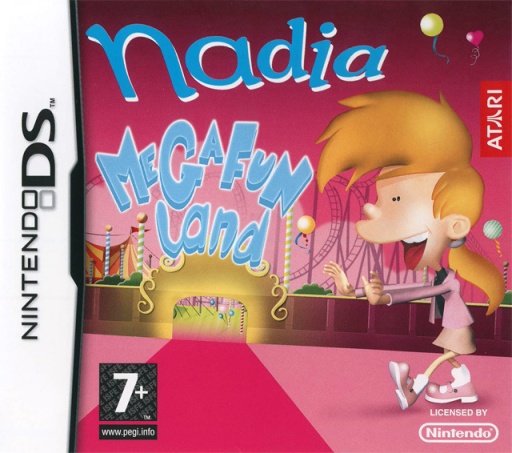
Play Nadia - Megafun Land online. Visit Megafun Land as Nadia and choose attractions from a park menu, completing Adventure activities to unlock them for Challenge play.
Browser play
Nintendo DS (NDS) — EmulatorJS controls
Default Player 1 keyboard mapping. Change keys in Controller Settings.
| Console button | Keyboard |
|---|---|
| ↑ / ↓ / ← / → | ↑ / ↓ / ← / → |
| A / B / X / Y | Z / X / A / S |
| L / R | Q / E |
| START / SELECT | Enter / V |
| Microphone | Not assigned |
Open Controller Settings to configure your keyboard or gamepad. Touch controls are available on mobile.
How to Play Nadia - Megafun Land
Quick start
Choose Adventure and touch the first available attraction. Watch the introduction and read how that minigame works, then attempt its objective and review the result. Continue unlocking activities and use Challenge to revisit those already available.
Controls
Touch the park selection to enter an attraction. Follow that game’s stylus movements, observations or microphone prompt, and watch the relevant screen for its goal. Recheck instructions when changing activity; selecting an attraction is distinct from freely walking around the park.
Nadia - Megafun Land — About this game
Visit Megafun Land as Nadia and choose attractions from a park menu, completing Adventure activities to unlock them for Challenge play. The collection mixes circus and pirate tasks with Nadia’s own pony, prince, magic and cinema areas. Groom a pony, stir a potion, answer questions after watching a scene or assemble a puzzle that reveals which mushroom to find. Begin with Adventure, touch an available attraction and read its instructions; each activity uses its own touch, screen or microphone cues rather than a shared platforming control scheme.
Nadia - Megafun Land Game manuals
Cheats
No cheats have been added for this edition.
Player verification and sources
Browser play was reviewed before this edition was published in the catalogue. The date below is the catalogue publication date, not the game’s original release date.
- Browser test and catalogue publication date
- Browsers and devices
- PC: Chrome, Edge and Firefox. Mobile: Chrome on Android and Safari on iPhone and iPad.
- Player engine and core
- EmulatorJS 4.3.0-pre · nds
- Tested by
- rwEmulator
Sources and editorial basis
rwEmulator reviews edition metadata, release information, game manuals and first-hand browser-play notes. Available manuals are linked below; the editorial policy explains how facts are checked and corrections are handled.