More browsing paths
Play Namcot Mahjong III: Mahjong Tengoku (Japan edition · Japanese) Online
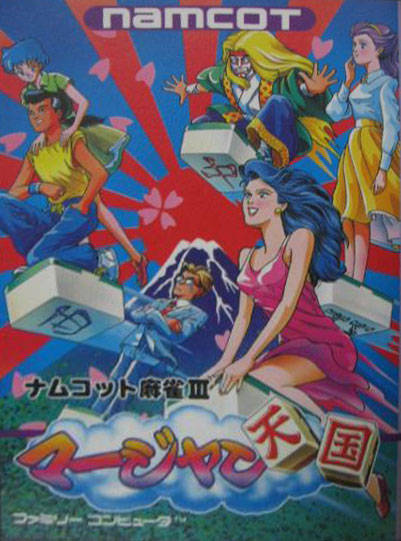
Namcot Mahjong III: Mahjong Tengoku
Play Namkot Mahjong III online. Enjoy regular games, irregular training, and a journey that progresses with the number of wins. Introducing how to start a game and how to play, play, and win.
Browser play
Nintendo Entertainment System (NES) / Famicom — EmulatorJS controls
Default Player 1 keyboard mapping. Change keys in Controller Settings.
| Console button | Keyboard |
|---|---|
| ↑ / ↓ / ← / → | ↑ / ↓ / ← / → |
| A / B | Z / X |
| START / SELECT | Enter / V |
Open Controller Settings to configure your keyboard or gamepad. Touch controls are available on mobile.
How to Play Namcot Mahjong III: Mahjong Tengoku
Quick start
Press START on the title, select "Game Mahjong" with the cross button, and press A. Choose your opponent on the left and right and decide on the standard/competition rules. For details, use the cross button to select an item, press A to toggle on/off, and press A to confirm "end." After drawing a tile, use the cross button to select an unnecessary tile and use A to cut it. B if you can reach a settlement. To call out a cry, press A to confirm, or press B to send it off. If you want to start a new journey, press START without entering anything in the adventure password field.
Controls
Cross button: Selection of discard tiles and combinations. During the game, top: reach, right: pon, left: chi, bottom: kang. A: Tsumo, deciding on a tile to play/squeak, and moving the screen. B: Wrapping up, canceling a cry or reach. START: Start/pause. However, you cannot pause during the 5 second cut-off of the adventure. Rule setting A: Switching between presence and absence.
Namcot Mahjong III: Mahjong Tengoku — About this game
This mahjong software allows you to enjoy not only the game of mahjong where you can choose from 6 opponents and play half-sho, but also the special rules and journeys of Goroku. During training, you can try different conditions than usual, such as ``cutting tiles in 5 seconds'' or ``no tiles'' in a short time limit. Movement in adventures is based on winning hands, not dice. It's important to consider not only high moves that move forward, but also handcrafts that are conscious of where you want to stop. You can fight the milestone boss in a half-mansion, and use loaded power and items, so there is a different strategy to the normal battle. The rule settings include items that display waiting tiles and speed up progress, so you can start by learning the operations from a straightforward game, and once you get used to them, you can expand to irregular conditions and journeys.
Cheats
No cheats have been added for this edition.
Player verification and sources
Browser play was reviewed before this edition was published in the catalogue. The date below is the catalogue publication date, not the game’s original release date.
- Browser test and catalogue publication date
- Browsers and devices
- PC: Chrome, Edge and Firefox. Mobile: Chrome on Android and Safari on iPhone and iPad.
- Player engine and core
- EmulatorJS 4.3.0-pre · nes
- Tested by
- rwEmulator
Sources and editorial basis
rwEmulator reviews edition metadata, release information, game manuals and first-hand browser-play notes. Available manuals are linked below; the editorial policy explains how facts are checked and corrections are handled.