More browsing paths
Play Naruto Shippuu Den - Dairansen! Kagebunshin Emaki (Japan edition · Japanese) Online
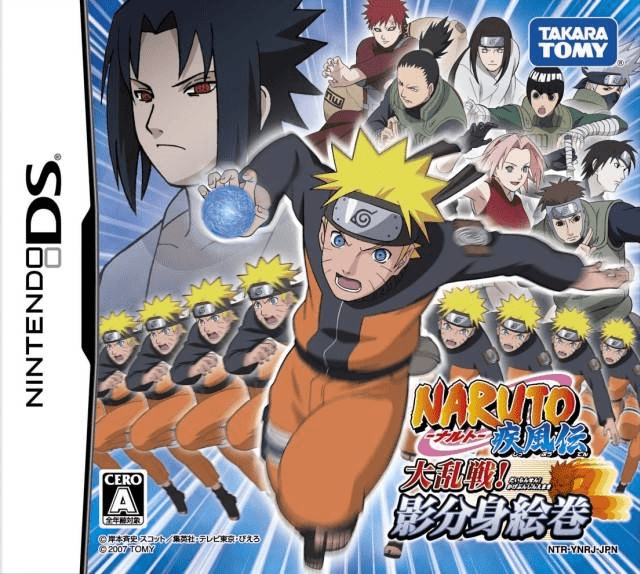
Naruto Shippuu Den - Dairansen! Kagebunshin Emaki
Play Naruto Shippuu Den - Dairansen! Kagebunshin Emaki online. Use Naruto’s shadow clones to fight enemies and solve obstacles while exploring the Shippuden adventure.
Browser play
Nintendo DS (NDS) — EmulatorJS controls
Default Player 1 keyboard mapping. Change keys in Controller Settings.
| Console button | Keyboard |
|---|---|
| ↑ / ↓ / ← / → | ↑ / ↓ / ← / → |
| A / B / X / Y | Z / X / A / S |
| L / R | Q / E |
| START / SELECT | Enter / V |
| Microphone | Not assigned |
Open Controller Settings to configure your keyboard or gamepad. Touch controls are available on mobile.
How to Play Naruto Shippuu Den - Dairansen! Kagebunshin Emaki
Quick start
Start the adventure, read the current objective and follow the available path. Practise ordinary movement and attacks, then hold and release R to summon clones when prompted. Inspect obstacles and choose a suitable ally from the lower screen when support is needed.
Controls
Move and fight with the displayed button controls. Hold R for a moment and release to create shadow clones; the available number changes with level. Tap an ally’s lower-screen icon for its support effect, and read the prompt at a boulder or raised route before acting.
Naruto Shippuu Den - Dairansen! Kagebunshin Emaki — About this game
Use Naruto’s shadow clones to fight enemies and solve obstacles while exploring the Shippuden adventure. Clones can attack together, help move a heavy boulder or provide the teamwork needed to reach a high place, while allies on the touch screen offer attacks and healing. Begin by following the opening route, learning normal movement and checking what blocks the path. Hold R and release to send out clones, then observe whether the current situation calls for combat or help with the scenery before spending more chakra.
Naruto Shippuu Den - Dairansen! Kagebunshin Emaki Game manuals
Cheats
No cheats have been added for this edition.
Player verification and sources
Browser play was reviewed before this edition was published in the catalogue. The date below is the catalogue publication date, not the game’s original release date.
- Browser test and catalogue publication date
- Browsers and devices
- PC: Chrome, Edge and Firefox. Mobile: Chrome on Android and Safari on iPhone and iPad.
- Player engine and core
- EmulatorJS 4.3.0-pre · nds
- Tested by
- rwEmulator
Sources and editorial basis
rwEmulator reviews edition metadata, release information, game manuals and first-hand browser-play notes. Available manuals are linked below; the editorial policy explains how facts are checked and corrections are handled.