More browsing paths
Play The Nations: Land of Legends (Europe edition · English / German) Online
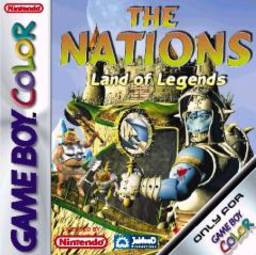
Nations, The - Land of Legends
Play The Nations: Land of Legends online on GBC. The Nations: Land of Legends turns the fantasy setting into an overhead action adventure.
Browser play
Game Boy Color (GBC) — EmulatorJS controls
Default Player 1 keyboard mapping. Change keys in Controller Settings.
| Console button | Keyboard |
|---|---|
| ↑ / ↓ / ← / → | ↑ / ↓ / ← / → |
| A / B | Z / X |
| START / SELECT | Enter / V |
Open Controller Settings to configure your keyboard or gamepad. Touch controls are available on mobile.
How to Play The Nations: Land of Legends
Quick start
Read the opening conversations, explore the starting village and accept its first task. Look for the requested creature or materials, return to the relevant person and prepare equipment before exploring farther.
Controls
D-pad moves and selects. A confirms dialogue, interacts or uses the displayed action; B cancels or performs the available secondary action. Use the menus for items and follow prompts when a new hero or ability appears.
The Nations: Land of Legends — About this game
Begin by asking what the village needs and checking nearby paths before wandering into danger. A missing creature or a material request can be the link to your first useful equipment. Later, notice when a new character or ability changes which obstacles can be crossed. Keep track of unfinished requests so returning to a village has a clear purpose.
Cheats
No cheats have been added for this edition.
Player verification and sources
Browser play was reviewed before this edition was published in the catalogue. The date below is the catalogue publication date, not the game’s original release date.
- Browser test and catalogue publication date
- Browsers and devices
- PC: Chrome, Edge and Firefox. Mobile: Chrome on Android and Safari on iPhone and iPad.
- Player engine and core
- EmulatorJS 4.3.0-pre · gb
- Tested by
- rwEmulator
Sources and editorial basis
rwEmulator reviews edition metadata, release information, game manuals and first-hand browser-play notes. Available manuals are linked below; the editorial policy explains how facts are checked and corrections are handled.