More browsing paths
Play Navy Blue (Japan edition · Japanese) Online
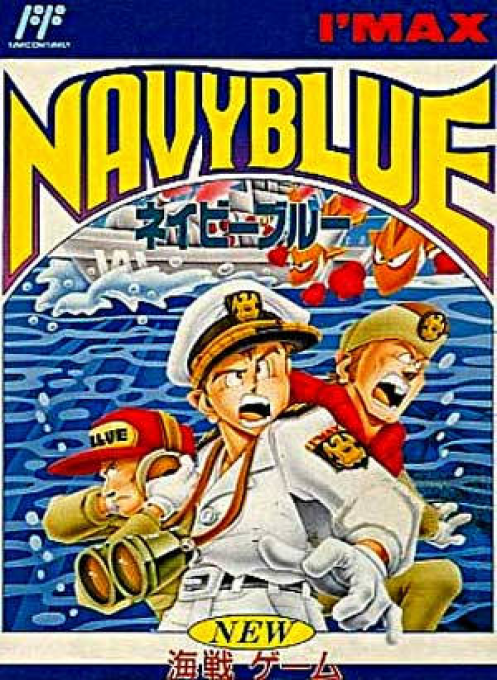
Navy Blue
Play naval battle game navy blue online. Organize your fleet and weapons, and try to deduce the location of enemy ships from HIT and Onami clues.
Browser play
Nintendo Entertainment System (NES) / Famicom — EmulatorJS controls
Default Player 1 keyboard mapping. Change keys in Controller Settings.
| Console button | Keyboard |
|---|---|
| ↑ / ↓ / ← / → | ↑ / ↓ / ← / → |
| A / B | Z / X |
| START / SELECT | Enter / V |
Open Controller Settings to configure your keyboard or gamepad. Touch controls are available on mobile.
How to Play Navy Blue
Quick start
Select START using SELECT on the title and start with the START button. Check the number of SHIP and UNIT of the command, select the ship to use with the cross key and A, and finish with END. Select weapons within the designated UNIT and proceed to placement. During placement, press B to change the direction of the ship, and press A to confirm. On your turn to attack, choose a square in the enemy sea area and press A. Investigate the area where Onami appeared and deduce the shape of the ship from the hit location. When using a weapon, select ITEM from the auxiliary window in B.
Controls
Cross key: Cursor/item selection. A: Determine each screen, confirm attack point. B: Rotates the ship while deploying the fleet, and displays an auxiliary window on the target screen. START: Determine game mode. SELECT: Game mode selection. To enter the password, use the top and bottom to select letters and numbers, the left and right to select the position, enter 10 characters, and then press A to confirm. Battle pose operations in START, which are not in the original book, are not guided.
Navy Blue — About this game
``Naval Battle Game Navy Blue'' is a game in which you place your fleet in a grid of sea areas and take turns specifying attack points to search for your opponent. Even if you miss your target, if there is an enemy ship nearby, you will be notified that it is on fire, so you can narrow down the location by combining reactions instead of just guessing. The ships and weapons that can be used are determined by commands, and after selecting special weapons for each ship within the limits, deploy your own troops. It is also important to consider how to use equipment that searches a wide area and equipment that sinks the ships that are found. If you hit all the squares of the enemy ship and sink it, annihilating the fleet, you will win. The battle continues from the base to the enemy's base in the upper right corner, and if you break through the surface, you can leave your progress with a password. The Famicom version is for one person against the computer.
Cheats
No cheats have been added for this edition.
Player verification and sources
Browser play was reviewed before this edition was published in the catalogue. The date below is the catalogue publication date, not the game’s original release date.
- Browser test and catalogue publication date
- Browsers and devices
- PC: Chrome, Edge and Firefox. Mobile: Chrome on Android and Safari on iPhone and iPad.
- Player engine and core
- EmulatorJS 4.3.0-pre · nes
- Tested by
- rwEmulator
Sources and editorial basis
rwEmulator reviews edition metadata, release information, game manuals and first-hand browser-play notes. Available manuals are linked below; the editorial policy explains how facts are checked and corrections are handled.