More browsing paths
Play Need for Speed: ProStreet (US edition · Revision 1 · English / French / German / Spanish / Italian) Online
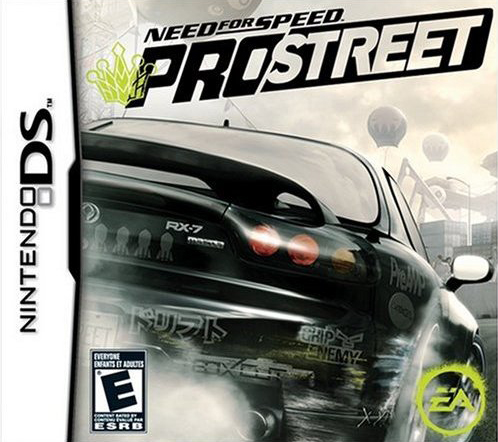
Need for Speed - ProStreet
Play Need for Speed: ProStreet online. Build a racing career through Race Days containing several events, from circuit Grip races to Drift, Drag and timed challenges.
Browser play
Nintendo DS (NDS) — EmulatorJS controls
Default Player 1 keyboard mapping. Change keys in Controller Settings.
| Console button | Keyboard |
|---|---|
| ↑ / ↓ / ← / → | ↑ / ↓ / ← / → |
| A / B / X / Y | Z / X / A / S |
| L / R | Q / E |
| START / SELECT | Enter / V |
| Microphone | Not assigned |
Open Controller Settings to configure your keyboard or gamepad. Touch controls are available on mobile.
How to Play Need for Speed: ProStreet
Quick start
Try Quick Race and choose a manageable car. Learn the steering and transmission, then enter a Career Race Day and read its event goals. Keep the car intact, complete the day’s requirements and return to the garage for repairs or upgrades.
Controls
Steer with +Control Pad: up plus left/right gives a gentler turn, down plus left/right a sharper one. Double-tapping down looks back. Manual gear changes use shoulder buttons, or choose automatic. Use displayed gas/brake controls and follow button rhythm prompts in Hydraulics.
Need for Speed: ProStreet — About this game
Build a racing career through Race Days containing several events, from circuit Grip races to Drift, Drag and timed challenges. Winning brings money for cars, repairs and upgrades, while damage can leave a vehicle unavailable for the remainder of a day. The DS version also includes a button-driven Hydraulics rhythm event. Begin with Quick Race to learn the car, use the lower-screen map to plan corners and try automatic shifting before a Career day; read each event’s objective instead of expecting every contest to reward finishing first.
Need for Speed: ProStreet Game manuals
Cheats
No cheats have been added for this edition.
Player verification and sources
Browser play was reviewed before this edition was published in the catalogue. The date below is the catalogue publication date, not the game’s original release date.
- Browser test and catalogue publication date
- Browsers and devices
- PC: Chrome, Edge and Firefox. Mobile: Chrome on Android and Safari on iPhone and iPad.
- Player engine and core
- EmulatorJS 4.3.0-pre · nds
- Tested by
- rwEmulator
Sources and editorial basis
rwEmulator reviews edition metadata, release information, game manuals and first-hand browser-play notes. Available manuals are linked below; the editorial policy explains how facts are checked and corrections are handled.