More browsing paths
Play Neves (US edition · English / Japanese) Online
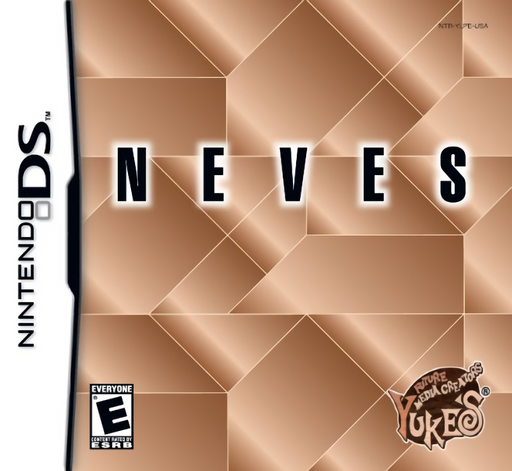
Neves
Play Neves online. Fit seven wooden pieces into a silhouette without leaving gaps or overlapping the shapes.
Browser play
Nintendo DS (NDS) — EmulatorJS controls
Default Player 1 keyboard mapping. Change keys in Controller Settings.
| Console button | Keyboard |
|---|---|
| ↑ / ↓ / ← / → | ↑ / ↓ / ← / → |
| A / B / X / Y | Z / X / A / S |
| L / R | Q / E |
| START / SELECT | Enter / V |
| Microphone | Not assigned |
Open Controller Settings to configure your keyboard or gamepad. Touch controls are available on mobile.
How to Play Neves
Quick start
Choose Silhouette and an early puzzle. Drag pieces into the outline, rotate or flip those that do not fit and examine the gaps left behind. Complete the shape before trying the timed or seven-move challenge.
Controls
Touch and drag a piece to move it. Hold a corner and turn to rotate; double-tap the piece to flip it. Work on the lower touch screen and release each block carefully inside the silhouette.
Neves — About this game
Fit seven wooden pieces into a silhouette without leaving gaps or overlapping the shapes. A bird, key or larger abstract outline uses the same pieces, so changing one block’s orientation can reveal a completely different solution. Silhouette mode leaves you time to experiment; Time Pressure adds a three-minute limit and 7 Steps demands a solution in seven moves. Begin with an easy untimed outline, place the most obvious corners and reconsider the remaining space before forcing a piece into an unlikely position.
Neves Game manuals
Cheats
No cheats have been added for this edition.
Player verification and sources
Browser play was reviewed before this edition was published in the catalogue. The date below is the catalogue publication date, not the game’s original release date.
- Browser test and catalogue publication date
- Browsers and devices
- PC: Chrome, Edge and Firefox. Mobile: Chrome on Android and Safari on iPhone and iPad.
- Player engine and core
- EmulatorJS 4.3.0-pre · nds
- Tested by
- rwEmulator
Sources and editorial basis
rwEmulator reviews edition metadata, release information, game manuals and first-hand browser-play notes. Available manuals are linked below; the editorial policy explains how facts are checked and corrections are handled.