More browsing paths
Play New Super Mario Bros. (US_AU edition · English) Online
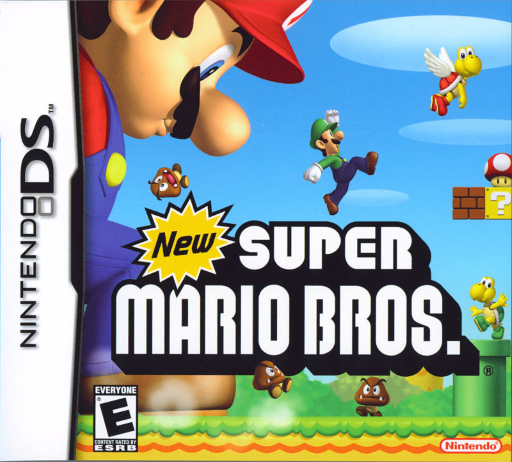
New Super Mario Bros.
Play New Super Mario Bros. online and explore DS courses with Star Coins, secret routes, Mega Mushrooms and a guide to jumps and dashes.
Browser play
Nintendo DS (NDS) — EmulatorJS controls
Default Player 1 keyboard mapping. Change keys in Controller Settings.
| Console button | Keyboard |
|---|---|
| ↑ / ↓ / ← / → | ↑ / ↓ / ← / → |
| A / B / X / Y | Z / X / A / S |
| L / R | Q / E |
| START / SELECT | Enter / V |
| Microphone | Not assigned |
Open Controller Settings to configure your keyboard or gamepad. Touch controls are available on mobile.
How to Play New Super Mario Bros.
Quick start
Choose MARIO GAME, select an empty save file and enter the first course in World 1. Move right, jump into the first question blocks and collect a Mushroom. Practise a short jump and a held jump before tackling a gap; reach the flagpole to clear the course.
Controls
Default layout: D-pad moves; down crouches and performs a ground pound in midair. A/B jumps or swims; hold for a higher jump. Hold X/Y with a direction to dash; these buttons also fire fireballs as Fire Mario. Tap the stored item on the lower screen to release it. START pauses. Controls can be changed in OPTIONS.
New Super Mario Bros. — About this game
New Super Mario Bros. brings Mario's running and jumping adventure to the DS with courses built around moving platforms, enemy patterns and hidden passages. Reaching the flagpole keeps the journey moving, while the three Star Coins in each course reward careful exploration and open routes on the world map. A Mega Mushroom lets Mario smash through obstacles, the Mini Mushroom opens tiny passages, and the blue shell changes how he moves through enemies. Wall jumps and ground pounds add ways to reach awkward places. An item held on the lower screen can help recover from a mistake, making the choice of when to use it part of the challenge.
New Super Mario Bros. Game manuals
Cheats
No cheats have been added for this edition.
Player verification and sources
Browser play was reviewed before this edition was published in the catalogue. The date below is the catalogue publication date, not the game’s original release date.
- Browser test and catalogue publication date
- Browsers and devices
- PC: Chrome, Edge and Firefox. Mobile: Chrome on Android and Safari on iPhone and iPad.
- Player engine and core
- EmulatorJS 4.3.0-pre · nds
- Tested by
- rwEmulator
Sources and editorial basis
rwEmulator reviews edition metadata, release information, game manuals and first-hand browser-play notes. Available manuals are linked below; the editorial policy explains how facts are checked and corrections are handled.