More browsing paths
Play NFL (US edition · English) Online
NFL
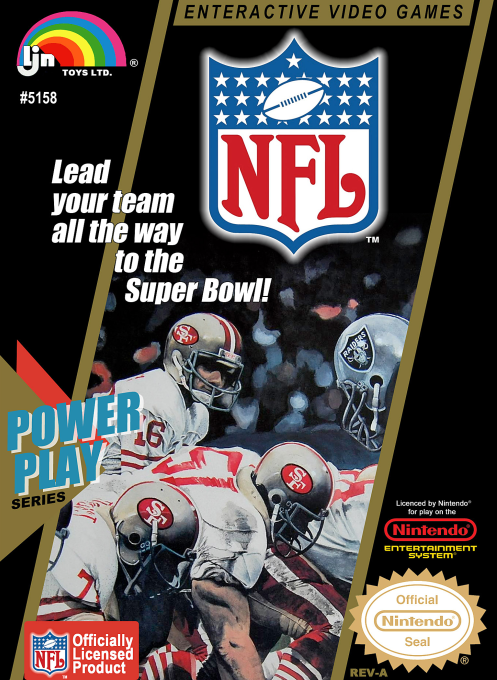
Play NFL for NES online. Choose your team package, call running or passing plays and defend each drive. Learn the snap, receiver selection, catching and kickoff controls.
Browser play
Nintendo Entertainment System (NES) / Famicom — EmulatorJS controls
Default Player 1 keyboard mapping. Change keys in Controller Settings.
| Console button | Keyboard |
|---|---|
| ↑ / ↓ / ← / → | ↑ / ↓ / ← / → |
| A / B | Z / X |
| START / SELECT | Enter / V |
Open Controller Settings to configure your keyboard or gamepad. Touch controls are available on mobile.
How to Play NFL
Quick start
Press START, then use SELECT or the Control Pad to choose 1 PLAYER and confirm with START or A. Choose a matchup, a team and a package; select DONE to proceed without an upgrade. Use the printed play chart to choose your assignment with its direction-and-button combinations. When the players line up, A snaps the ball. For a pass, B brings up receiver selection; hold the direction indicated for your target and press A to throw. Steer the receiver toward the ball and use B to jump in the close-up view.
Controls
Control Pad: move the active player. Before the snap, A starts the play; START calls the available audible, not a pause. On offense, B opens receiver selection/slow motion, then direction+A passes to the marked receiver; A also makes the handoff in a running play. In the receiving close-up, B jumps. On defense, direction+A selects a defender before the snap; A dives in the normal field view, while B jumps in the passing close-up. Kickoff: time A for a deep kick or B for an onside kick; Left/Right aims. SELECT calls a timeout from the scoreboard.
NFL — About this game
NFL combines play calling with direct control on the field. Before the game, you choose a team package that shifts the strengths of different positions; optional upgrades offer an advantage at the risk of more mistakes and penalties. Offensive and defensive assignments come from the original printed play chart, rather than an on-screen diagram menu. Once the ball is snapped, a passing play can slow down while you select a receiver, then move into a close view for the catch. Running, defending and choosing when to dive require attention to the changing field view. One-player, two-player and handicap settings are available, with matchups within or between the two conferences and a Super Bowl option.
Cheats
No cheats have been added for this edition.
Player verification and sources
Browser play was reviewed before this edition was published in the catalogue. The date below is the catalogue publication date, not the game’s original release date.
- Browser test and catalogue publication date
- Browsers and devices
- PC: Chrome, Edge and Firefox. Mobile: Chrome on Android and Safari on iPhone and iPad.
- Player engine and core
- EmulatorJS 4.3.0-pre · nes
- Tested by
- rwEmulator
Sources and editorial basis
rwEmulator reviews edition metadata, release information, game manuals and first-hand browser-play notes. Available manuals are linked below; the editorial policy explains how facts are checked and corrections are handled.