More browsing paths
Play Party Mail (Beta · Japan edition · English) Online
Picture Puzzle
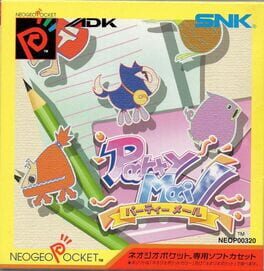
Play Party Mail online. A menu-driven adventure mixing a personal profile, party invitations and encounters handled with picture cards.
Browser play
Neo Geo Pocket — EmulatorJS controls
Default Player 1 keyboard mapping. Change keys in Controller Settings.
| Console button | Keyboard |
|---|---|
| ↑ / ↓ / ← / → | ↑ / ↓ / ← / → |
| A / B | X / Z |
| OPTION | Enter |
Open Controller Settings to configure your keyboard or gamepad. Touch controls are available on mobile.
How to Play Party Mail
Quick start
Create a profile, read the opening scene and follow the invitation prompts. When a creature appears, inspect the picture-card choices and confirm a response.
Controls
Stick: move through menus and card choices. A: confirm a command, card or text prompt. B: cancel or return.
Party Mail — About this game
Party Mail — A menu-driven adventure mixing a personal profile, party invitations and encounters handled with picture cards. Read the scenes, choose commands and select a card to answer the creatures you meet. The original cartridge also supports exchanging messages with another player using the system’s communication hardware.
Party Mail Game manuals
Cheats
No cheats have been added for this edition.
Player verification and sources
Browser play was reviewed before this edition was published in the catalogue. The date below is the catalogue publication date, not the game’s original release date.
- Browser test and catalogue publication date
- Browsers and devices
- PC: Chrome, Edge and Firefox. Mobile: Chrome on Android and Safari on iPhone and iPad.
- Player engine and core
- EmulatorJS 4.3.0-pre · ngp
- Tested by
- rwEmulator
Sources and editorial basis
rwEmulator reviews edition metadata, release information, game manuals and first-hand browser-play notes. Available manuals are linked below; the editorial policy explains how facts are checked and corrections are handled.