More browsing paths
Play Puzzle Link 2 (World edition · English) Online
Puzzle Link 2
Play Puzzle Link 2 online and explore its connector routes and matching targets. Read the quick start and controls before you begin.
Browser play
Neo Geo Pocket — EmulatorJS controls
Default Player 1 keyboard mapping. Change keys in Controller Settings.
| Console button | Keyboard |
|---|---|
| ↑ / ↓ / ← / → | ↑ / ↓ / ← / → |
| A / B | X / Z |
| OPTION | Enter |
Open Controller Settings to configure your keyboard or gamepad. Touch controls are available on mobile.
How to Play Puzzle Link 2
Quick start
Choose the normal challenge and fire a connector at one target, then extend the route to another target of the same type. Clear space before trying to finish the stage objective.
Controls
Directional stick: move the character and menu cursor. A: fire a connector or confirm. B: erase connectors or cancel. OPTION: pause and open the undo menu.
Puzzle Link 2 — About this game
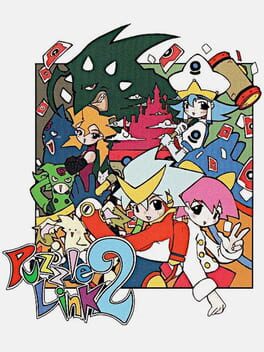
Puzzle Link 2 expands the connection puzzle with Endless play and a card-battle mode that uses the collected character cards. Shoot connectors into the descending field to link separated matching targets. Building a route matters more than simply firing at every block: plan where the line will travel and erase a connector if it obstructs the next link. Keep the field away from the bottom while working toward the stage objective.
Puzzle Link 2 Game manuals
Cheats
No cheats have been added for this edition.
Player verification and sources
Browser play was reviewed before this edition was published in the catalogue. The date below is the catalogue publication date, not the game’s original release date.
- Browser test and catalogue publication date
- Browsers and devices
- PC: Chrome, Edge and Firefox. Mobile: Chrome on Android and Safari on iPhone and iPad.
- Player engine and core
- EmulatorJS 4.3.0-pre · ngp
- Tested by
- rwEmulator
Sources and editorial basis
rwEmulator reviews edition metadata, release information, game manuals and first-hand browser-play notes. Available manuals are linked below; the editorial policy explains how facts are checked and corrections are handled.