More browsing paths
Play Shougi no Tatsujin Color (Japan edition · Japanese) Online
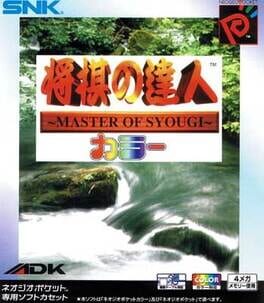
Shougi no Tatsujin Color
Play Shougi no Tatsujin Color online and explore its piece drops and board strategy. Read the quick start and controls before you begin.
Browser play
Neo Geo Pocket — EmulatorJS controls
Default Player 1 keyboard mapping. Change keys in Controller Settings.
| Console button | Keyboard |
|---|---|
| ↑ / ↓ / ← / → | ↑ / ↓ / ← / → |
| A / B | X / Z |
| OPTION | Enter |
Open Controller Settings to configure your keyboard or gamepad. Touch controls are available on mobile.
How to Play Shougi no Tatsujin Color
Quick start
Start a single-player match, inspect the initial position and choose a piece before selecting its destination square. Keep the king protected while developing the other pieces.
Controls
Stick: move the cursor. A: select a piece, a reserve piece or a destination and confirm. B: cancel the current selection.
Shougi no Tatsujin Color — About this game
Shougi no Tatsujin Color presents Japanese chess in colour, with photographed computer opponents to face in its single-player tournament. Move pieces according to their individual rules and aim to trap the opposing king. Captured pieces become part of your reserve and can return to empty squares, so threats can appear away from the original battle line. Check both the board and the pieces in hand before committing to an attack.
Cheats
No cheats have been added for this edition.
Player verification and sources
Browser play was reviewed before this edition was published in the catalogue. The date below is the catalogue publication date, not the game’s original release date.
- Browser test and catalogue publication date
- Browsers and devices
- PC: Chrome, Edge and Firefox. Mobile: Chrome on Android and Safari on iPhone and iPad.
- Player engine and core
- EmulatorJS 4.3.0-pre · ngp
- Tested by
- rwEmulator
Sources and editorial basis
rwEmulator reviews edition metadata, release information, game manuals and first-hand browser-play notes. Available manuals are linked below; the editorial policy explains how facts are checked and corrections are handled.