More browsing paths
Play Nickelodeon Team - Umizoomi (US edition) Online
Nickelodeon Team - Umizoomi
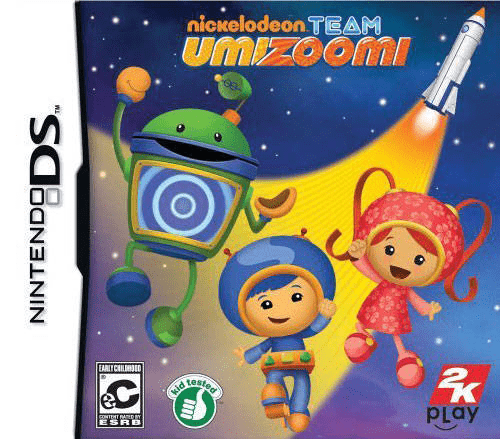
Play Nickelodeon Team - Umizoomi online. Help Milli, Geo and Bot recover missing rocket parts while solving smaller problems around Umi City.
Browser play
Nintendo DS (NDS) — EmulatorJS controls
Default Player 1 keyboard mapping. Change keys in Controller Settings.
| Console button | Keyboard |
|---|---|
| ↑ / ↓ / ← / → | ↑ / ↓ / ← / → |
| A / B / X / Y | Z / X / A / S |
| L / R | Q / E |
| START / SELECT | Enter / V |
| Microphone | Not assigned |
Open Controller Settings to configure your keyboard or gamepad. Touch controls are available on mobile.
How to Play Nickelodeon Team - Umizoomi
Quick start
Start the adventure and listen to the team’s request. Observe the objects, count or compare as needed and follow the corner hint for the stylus action. Complete the task and listen for the next step in recovering the rocket parts.
Controls
Use the stylus to select, arrange or move the requested objects. Follow each activity’s motion demonstration, including drawing motions when shown. Wait for the answer cue and check which number, shape or pattern the current task asks for.
Nickelodeon Team - Umizoomi — About this game
Help Milli, Geo and Bot recover missing rocket parts while solving smaller problems around Umi City. Repairing a leaking aquarium or helping seahorses turns into activities with shapes, number order, colours and patterns rather than a single continuous platform course. Listen to the request, look at the visual hint for the stylus movement and complete that task before the team moves on. Begin with the opening mission and take time to count or compare the displayed objects; the answer is tied to what the characters need at that moment.
Nickelodeon Team - Umizoomi Game manuals
Cheats
No cheats have been added for this edition.
Player verification and sources
Browser play was reviewed before this edition was published in the catalogue. The date below is the catalogue publication date, not the game’s original release date.
- Browser test and catalogue publication date
- Browsers and devices
- PC: Chrome, Edge and Firefox. Mobile: Chrome on Android and Safari on iPhone and iPad.
- Player engine and core
- EmulatorJS 4.3.0-pre · nds
- Tested by
- rwEmulator
Sources and editorial basis
rwEmulator reviews edition metadata, release information, game manuals and first-hand browser-play notes. Available manuals are linked below; the editorial policy explains how facts are checked and corrections are handled.