More browsing paths
Play Nicktoons: Freeze Frame Frenzy (US edition · English) Online
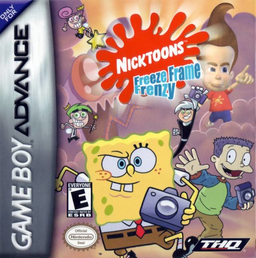
Nicktoons: Freeze Frame Frenzy
Play Nicktoons: Freeze Frame Frenzy online. Aim Jimmy's camera, photograph misplaced characters and meet score objectives across five side-scrolling GBA worlds.
Browser play
Game Boy Advance (GBA) — EmulatorJS controls
Default Player 1 keyboard mapping. Change keys in Controller Settings.
| Console button | Keyboard |
|---|---|
| ↑ / ↓ / ← / → | ↑ / ↓ / ← / → |
| A / B | Z / X |
| L / R | Q / E |
| START / SELECT | Enter / V |
Open Controller Settings to configure your keyboard or gamepad. Touch controls are available on mobile.
How to Play Nicktoons: Freeze Frame Frenzy
Quick start
Choose NEW GAME, select a world and the character Jimmy contacts for the mission. Dimmsdale is a clear first assignment: photograph misplaced characters, Timmy's parents, six rare birds and six local inhabitants, reaching 5,000 points to advance. Keep the camera cursor near the center before hazards scroll in, and prioritize out-of-place characters because a successful shot also transports them home.
Controls
Use the D-Pad to move the character and camera viewfinder. A jumps. B immediately centers the viewfinder over the character. R takes a photograph, and START pauses. Frame a subject before pressing R; photographs can remove photographed obstacles or enemies, while camera power-ups improve the tool. The cited GBA sources do not verify a gameplay use for L or SELECT, so none is stated.
Nicktoons: Freeze Frame Frenzy Game manuals
Cheats
No cheats have been added for this edition.
Player verification and sources
Browser play was reviewed before this edition was published in the catalogue. The date below is the catalogue publication date, not the game’s original release date.
- Browser test and catalogue publication date
- Browsers and devices
- PC: Chrome, Edge and Firefox. Mobile: Chrome on Android and Safari on iPhone and iPad.
- Player engine and core
- EmulatorJS 4.3.0-pre · gba
- Tested by
- rwEmulator
Sources and editorial basis
rwEmulator reviews edition metadata, release information, game manuals and first-hand browser-play notes. Available manuals are linked below; the editorial policy explains how facts are checked and corrections are handled.