More browsing paths
Play Nicktoons Unite! (Spain edition · Spanish) Online
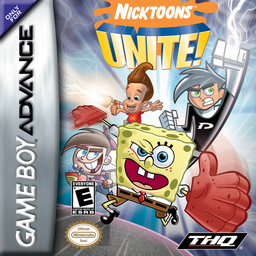
Bob Esponja y Amigos: ¡Unidos!
Play Nicktoons Unite! online. Switch between two heroes, destroy portals and combine abilities in this platform adventure for GBA.
Browser play
Game Boy Advance (GBA) — EmulatorJS controls
Default Player 1 keyboard mapping. Change keys in Controller Settings.
| Console button | Keyboard |
|---|---|
| ↑ / ↓ / ← / → | ↑ / ↓ / ← / → |
| A / B | Z / X |
| L / R | Q / E |
| START / SELECT | Enter / V |
Open Controller Settings to configure your keyboard or gamepad. Touch controls are available on mobile.
How to Play Nicktoons Unite!
Quick start
Choose NEW GAME, watch as Jimmy assembles the team and selects two heroes for Casper High. Destroy the three ghost portals, collect four nanochips, and take both characters to the exit transporter. Switch with L to leave one on a plate while the other crosses; with the two before a Jimmy transporter, press Up to change the pair.
Controls
The crosshead moves and selects; Upstairs activates a transporter. A jumps and, by pressing it again in the air, performs a double jump. B uses the active character's attack. L instantly switches between the two heroes and START pauses. The GBA sources consulted do not confirm a normal function for R or SELECT. Danny goes through marked walls, Bob fits through low gaps, and Jimmy and Timmy can fly.
Nicktoons Unite! Game manuals
Cheats
No cheats have been added for this edition.
Player verification and sources
Browser play was reviewed before this edition was published in the catalogue. The date below is the catalogue publication date, not the game’s original release date.
- Browser test and catalogue publication date
- Browsers and devices
- PC: Chrome, Edge and Firefox. Mobile: Chrome on Android and Safari on iPhone and iPad.
- Player engine and core
- EmulatorJS 4.3.0-pre · gba
- Tested by
- rwEmulator
Sources and editorial basis
rwEmulator reviews edition metadata, release information, game manuals and first-hand browser-play notes. Available manuals are linked below; the editorial policy explains how facts are checked and corrections are handled.