More browsing paths
Play Ninja Gaiden: Dragon Sword (US edition · English) Online
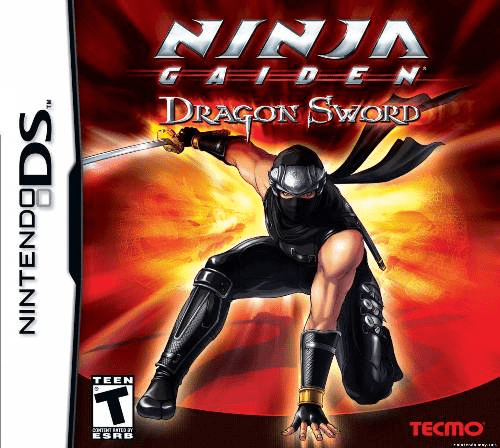
Ninja Gaiden - Dragon Sword
Play Ninja Gaiden: Dragon Sword online. Use stylus slashes, jumps and ranged attacks to guide Ryu through a ninja adventure designed for book-style DS play. Learn how to start and use the original Nintendo DS controls.
Browser play
Nintendo DS (NDS) — EmulatorJS controls
Default Player 1 keyboard mapping. Change keys in Controller Settings.
| Console button | Keyboard |
|---|---|
| ↑ / ↓ / ← / → | ↑ / ↓ / ← / → |
| A / B / X / Y | Z / X / A / S |
| L / R | Q / E |
| START / SELECT | Enter / V |
| Microphone | Not assigned |
Open Controller Settings to configure your keyboard or gamepad. Touch controls are available on mobile.
How to Play Ninja Gaiden: Dragon Sword
Quick start
Choose an empty save slot and begin on Normal. The opening puts you in control of Momiji for practice with Ryu before Forest of Shadows. Learn to hold a guard button, move with the stylus and swipe upward to jump before trying longer attack strings. Keep the screens side by side in book orientation and choose your handedness in Options. Use Dragon Statues when they appear to restore health and save.
Controls
Touch and hold, then drag to move. Swipe through an enemy for sword attacks; swipe upward to jump and again in midair to double-jump. Tap a target to throw the equipped ranged weapon. Hold a Control Pad direction or A/B/X/Y/L/R to guard; while guarding, tap a destination to roll there. START or SELECT opens pause. When Ninpo is available, tap its symbol and trace the indicated character.
Ninja Gaiden: Dragon Sword — About this game
Dragon Sword follows Ryu Hayabusa into a new conflict after the attack on Hayabusa Village, with Momiji central to the story. The DS is turned like an open book, placing the screens beside each other, and the stylus handles movement, sword strikes, jumps and ranged attacks. Holding a physical button guards, so combat becomes a rhythm of protecting yourself, rolling away and drawing a counterattack. Later Ninpo techniques add spells traced on the screen. Short rooms, dangerous enemies and boss encounters keep attention on timing rather than a console-style button combination, while Dragon Statues provide healing and a place to save.
Ninja Gaiden: Dragon Sword Game manuals
Cheats
No cheats have been added for this edition.
Player verification and sources
Browser play was reviewed before this edition was published in the catalogue. The date below is the catalogue publication date, not the game’s original release date.
- Browser test and catalogue publication date
- Browsers and devices
- PC: Chrome, Edge and Firefox. Mobile: Chrome on Android and Safari on iPhone and iPad.
- Player engine and core
- EmulatorJS 4.3.0-pre · nds
- Tested by
- rwEmulator
Sources and editorial basis
rwEmulator reviews edition metadata, release information, game manuals and first-hand browser-play notes. Available manuals are linked below; the editorial policy explains how facts are checked and corrections are handled.