More browsing paths
Play No Fear: Downhill Mountain Biking (Europe edition · English) Online
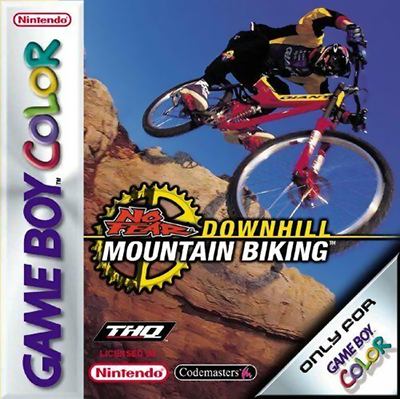
No Fear - Downhill Mountain Biking
Play No Fear: Downhill Mountain Biking online on Game Boy Color. Ride downhill mountain-bike courses in No Fear, balancing speed with a clean route through bends and obstacles. A fast start helps only if you can keep the bike under control on the next section.
Browser play
Game Boy Color (GBC) — EmulatorJS controls
Default Player 1 keyboard mapping. Change keys in Controller Settings.
| Console button | Keyboard |
|---|---|
| ↑ / ↓ / ← / → | ↑ / ↓ / ← / → |
| A / B | Z / X |
| START / SELECT | Enter / V |
Open Controller Settings to configure your keyboard or gamepad. Touch controls are available on mobile.
How to Play No Fear: Downhill Mountain Biking
Quick start
Select a rider and opening course, read its riding guide and use the first run to learn corners before chasing a stronger result.
Controls
Use the D-pad for menu choices and steering, with A/B according to the displayed riding guide. Practise turning and slowing on open ground before attempting tighter downhill sections.
No Fear: Downhill Mountain Biking — About this game
Use an early run to learn the course shape and where turns demand a change of pace. Watch how the bike responds after contact, then alter one approach on the next attempt. Carrying stable speed through a bend is often more useful than recovering from a rushed entry.
Cheats
No cheats have been added for this edition.
Player verification and sources
Browser play was reviewed before this edition was published in the catalogue. The date below is the catalogue publication date, not the game’s original release date.
- Browser test and catalogue publication date
- Browsers and devices
- PC: Chrome, Edge and Firefox. Mobile: Chrome on Android and Safari on iPhone and iPad.
- Player engine and core
- EmulatorJS 4.3.0-pre · gb
- Tested by
- rwEmulator
Sources and editorial basis
rwEmulator reviews edition metadata, release information, game manuals and first-hand browser-play notes. Available manuals are linked below; the editorial policy explains how facts are checked and corrections are handled.