More browsing paths
Play Nostalgia (US edition) Online
Nostalgia
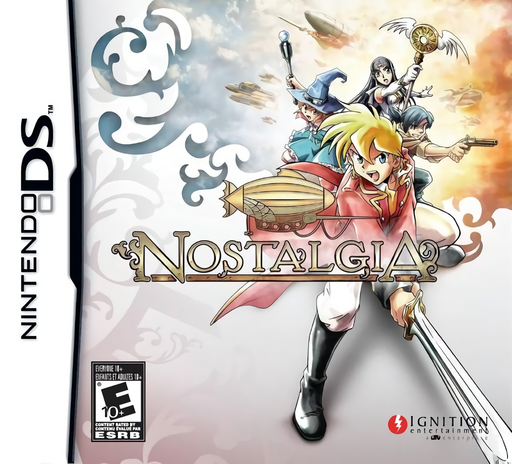
Play Nostalgia online and follow Eddie’s search aboard the Maverick, with dungeon exploration, party battles and airship encounters.
Browser play
Nintendo DS (NDS) — EmulatorJS controls
Default Player 1 keyboard mapping. Change keys in Controller Settings.
| Console button | Keyboard |
|---|---|
| ↑ / ↓ / ← / → | ↑ / ↓ / ← / → |
| A / B / X / Y | Z / X / A / S |
| L / R | Q / E |
| START / SELECT | Enter / V |
| Microphone | Not assigned |
Open Controller Settings to configure your keyboard or gamepad. Touch controls are available on mobile.
How to Play Nostalgia
Quick start
Press START at the title screen, select New Game with the D-pad and confirm with A. Play through the opening, then use Eddie’s town exploration to talk to people and inspect objects with A. Check the lower-screen map for shops, the inn and the Adventurers Association. Open the main menu with X to review the party and equipment. Make a regular save in town before a longer excursion; inside dungeons, look for a save point.
Controls
In towns and dungeons, move with the D-pad; A talks, inspects and confirms, B cancels, and holding B while moving runs under the default setting. X opens the menu and Y starts party conversation. SELECT switches maps; hold SELECT with the D-pad, or drag on the touch screen, to scroll the navigation map. A confirms battle choices. Aboard the airship, left/right turn, B moves forward, A lands or confirms, L lowers altitude and R raises it. START skips events and party conversations.
Nostalgia — About this game
In an alternate late nineteenth century, adventurers cross the world in airships. Eddie leaves London aboard his missing father’s Maverick to search for him and discover an adventure of his own. Towns offer information, equipment and inns, while dungeons bring treasures and command-based party battles. Encounters on the world map instead use the airship, which can be repaired and fitted with new parts at docks. Optional Adventurers Association quests award rewards and rank points separately from the main story; you can accept one at a time. Navigation maps help with exploration, and regular saves are available in towns, on the world map and at dungeon save points.
Nostalgia Game manuals
Cheats
No cheats have been added for this edition.
Player verification and sources
Browser play was reviewed before this edition was published in the catalogue. The date below is the catalogue publication date, not the game’s original release date.
- Browser test and catalogue publication date
- Browsers and devices
- PC: Chrome, Edge and Firefox. Mobile: Chrome on Android and Safari on iPhone and iPad.
- Player engine and core
- EmulatorJS 4.3.0-pre · nds
- Tested by
- rwEmulator
Sources and editorial basis
rwEmulator reviews edition metadata, release information, game manuals and first-hand browser-play notes. Available manuals are linked below; the editorial policy explains how facts are checked and corrections are handled.