More browsing paths
Play NSYNC: Get to the Show (US edition · English) Online
NSYNC - Get to the Show
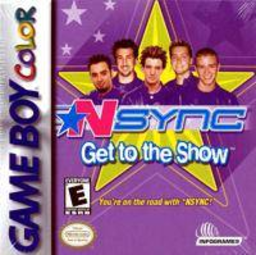
Play NSYNC: Get to the Show online on Game Boy Color. Help the band prepare for a tour stop in NSYNC: Get to the Show. Messages on a pager lead to errands and short activities, including timed limo trips where requests and correct turns affect your Fan Rating.
Browser play
Game Boy Color (GBC) — EmulatorJS controls
Default Player 1 keyboard mapping. Change keys in Controller Settings.
| Console button | Keyboard |
|---|---|
| ↑ / ↓ / ← / → | ↑ / ↓ / ← / → |
| A / B | Z / X |
| START / SELECT | Enter / V |
Open Controller Settings to configure your keyboard or gamepad. Touch controls are available on mobile.
How to Play NSYNC: Get to the Show
Quick start
Choose New Game, sign in and pick New Fan for an easier start. Advance the pager message with A and read the opening limo request before accelerating.
Controls
Menus use D-pad selection, A confirmation and B return; START skips a screen or pauses. In the limo, A accelerates, B stops and D-pad steers, changes lanes or enters stops. Other activities display their own controls.
NSYNC: Get to the Show — About this game
Enter a name and choose a favourite member, then select a difficulty. Read each pager request before starting its game. During the limo trip, follow the arrows, stop at the requested places and balance helpful errands against the time left to reach the destination.
NSYNC: Get to the Show Game manuals
Cheats
No cheats have been added for this edition.
Player verification and sources
Browser play was reviewed before this edition was published in the catalogue. The date below is the catalogue publication date, not the game’s original release date.
- Browser test and catalogue publication date
- Browsers and devices
- PC: Chrome, Edge and Firefox. Mobile: Chrome on Android and Safari on iPhone and iPad.
- Player engine and core
- EmulatorJS 4.3.0-pre · gb
- Tested by
- rwEmulator
Sources and editorial basis
rwEmulator reviews edition metadata, release information, game manuals and first-hand browser-play notes. Available manuals are linked below; the editorial policy explains how facts are checked and corrections are handled.