More browsing paths
Play O'Leary Manager 2000 (En,Fr,De,Es,It,Nl,Ca · Europe edition · English / French / German / Spanish / Italian / Dutch) Online
O'Leary Manager 2000
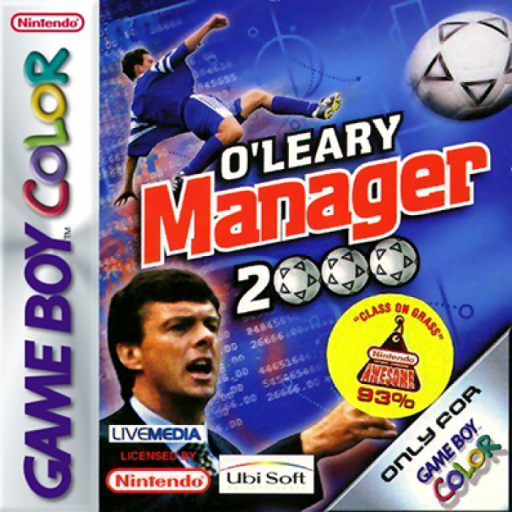
Play O'Leary Manager 2000 online on Game Boy Color. Manage a football club through team choices and match results in O'Leary Manager 2000. Build a workable line-up, consider players' roles and adjust your plans as the season develops.
Browser play
Game Boy Color (GBC) — EmulatorJS controls
Default Player 1 keyboard mapping. Change keys in Controller Settings.
| Console button | Keyboard |
|---|---|
| ↑ / ↓ / ← / → | ↑ / ↓ / ← / → |
| A / B | Z / X |
| START / SELECT | Enter / V |
Open Controller Settings to configure your keyboard or gamepad. Touch controls are available on mobile.
How to Play O'Leary Manager 2000
Quick start
Start a new management game, review the squad and prepare an opening line-up before advancing to the first match.
Controls
Use the D-pad to navigate management screens, A to confirm and B to return where offered. Read the current menu's options for team and tactical changes; matches are managed through decisions.
O'Leary Manager 2000 — About this game
Inspect the squad before the first fixture and give each position a suitable player. After a match, compare the result with your selection and tactics rather than replacing everyone at once. Keeping a clear plan makes it easier to judge which change helped the side.
Cheats
No cheats have been added for this edition.
Player verification and sources
Browser play was reviewed before this edition was published in the catalogue. The date below is the catalogue publication date, not the game’s original release date.
- Browser test and catalogue publication date
- Browsers and devices
- PC: Chrome, Edge and Firefox. Mobile: Chrome on Android and Safari on iPhone and iPad.
- Player engine and core
- EmulatorJS 4.3.0-pre · gb
- Tested by
- rwEmulator
Sources and editorial basis
rwEmulator reviews edition metadata, release information, game manuals and first-hand browser-play notes. Available manuals are linked below; the editorial policy explains how facts are checked and corrections are handled.