More browsing paths
Play Obunsha Deru-jun - Sansuu DS (Japan edition · Japanese) Online
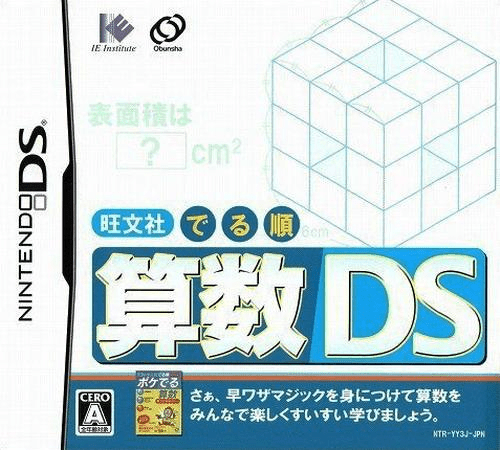
Obunsha Deru-jun - Sansuu DS
Play Obunsha Deru-jun - Sansuu DS online. Learn a mathematical method with diagrams, practise it and annotate the problem. See the Nintendo DS starting guide and controls.
Browser play
Nintendo DS (NDS) — EmulatorJS controls
Default Player 1 keyboard mapping. Change keys in Controller Settings.
| Console button | Keyboard |
|---|---|
| ↑ / ↓ / ← / → | ↑ / ↓ / ← / → |
| A / B / X / Y | Z / X / A / S |
| L / R | Q / E |
| START / SELECT | Enter / V |
| Microphone | Not assigned |
Open Controller Settings to configure your keyboard or gamepad. Touch controls are available on mobile.
How to Play Obunsha Deru-jun - Sansuu DS
Quick start
Choose a word-problem or geometry lesson, read its illustrated method and attempt practice. Open a memo for working, then continue to the practical problem.
Controls
Tap lessons and answer controls with the stylus. Write calculations or sketches on the memo layer, switching note and transparency through the displayed tools; confirm answers in the exercise interface.
Obunsha Deru-jun - Sansuu DS — About this game
Sansuu DS focuses on word problems and geometry. Illustrated explanations show a solution method before practice and practical questions ask you to use it yourself. Its memo layer lets you work over a diagram or graph, change between three transparency settings and keep three notes per problem. Begin by watching one method, then try the related exercise without copying the finished answer. Use the notes for intermediate calculations or a helpful sketch. Study also brings quick-calculation events and battles based on mathematical symbols. These activities supplement a course built around understanding the method, not simply tapping the fastest answer.
Obunsha Deru-jun - Sansuu DS Game manuals
Cheats
No cheats have been added for this edition.
Player verification and sources
Browser play was reviewed before this edition was published in the catalogue. The date below is the catalogue publication date, not the game’s original release date.
- Browser test and catalogue publication date
- Browsers and devices
- PC: Chrome, Edge and Firefox. Mobile: Chrome on Android and Safari on iPhone and iPad.
- Player engine and core
- EmulatorJS 4.3.0-pre · nds
- Tested by
- rwEmulator
Sources and editorial basis
rwEmulator reviews edition metadata, release information, game manuals and first-hand browser-play notes. Available manuals are linked below; the editorial policy explains how facts are checked and corrections are handled.