More browsing paths
Play Ogwangui Darin DS (South Korea edition) Online
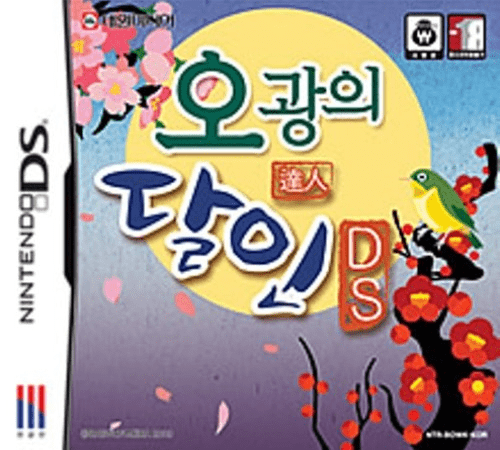
Ogwangui Darin DS
Play Ogwangui Darin DS online. Play Korean Go-Stop against the CPU, collect titles and pursue mission-card bonuses. See the Nintendo DS starting guide and controls.
Browser play
Nintendo DS (NDS) — EmulatorJS controls
Default Player 1 keyboard mapping. Change keys in Controller Settings.
| Console button | Keyboard |
|---|---|
| ↑ / ↓ / ← / → | ↑ / ↓ / ← / → |
| A / B / X / Y | Z / X / A / S |
| L / R | Q / E |
| START / SELECT | Enter / V |
| Microphone | Not assigned |
Open Controller Settings to configure your keyboard or gamepad. Touch controls are available on mobile.
How to Play Ogwangui Darin DS
Quick start
Choose solo matgo and read the current mission. Match a hand card to the table, inspect captured sets and check the score prompt before deciding whether to continue.
Controls
Use the stylus to select hand cards and matching table choices, then confirm displayed Go/Stop or event decisions. Watch both screens for captured cards, mission targets and points.
Ogwangui Darin DS — About this game
Ogwangui Darin DS adapts Korean Go-Stop to two screens and stylus selections. Solo play is one-on-one matgo against the CPU across up to 13 levels, with difficulty and point stakes rising as you advance. Collect icons and titles while working toward the current mission's requested cards; gathering them and winning can multiply the point reward. Begin in solo mode, inspect your hand and the table, and compare matching months before selecting a card. At a scoring decision, consider the displayed result before choosing Go or Stop. Original-hardware Download Play supports up to four participants, including a waiting participant's bright-card sale and spectating role.
Ogwangui Darin DS Game manuals
Cheats
No cheats have been added for this edition.
Player verification and sources
Browser play was reviewed before this edition was published in the catalogue. The date below is the catalogue publication date, not the game’s original release date.
- Browser test and catalogue publication date
- Browsers and devices
- PC: Chrome, Edge and Firefox. Mobile: Chrome on Android and Safari on iPhone and iPad.
- Player engine and core
- EmulatorJS 4.3.0-pre · nds
- Tested by
- rwEmulator
Sources and editorial basis
rwEmulator reviews edition metadata, release information, game manuals and first-hand browser-play notes. Available manuals are linked below; the editorial policy explains how facts are checked and corrections are handled.