More browsing paths
Play Operation: Armored Liberty (US edition · English) Online
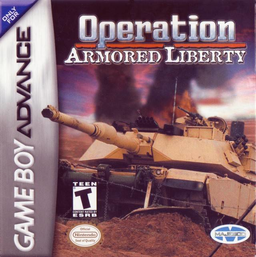
Operation: Armored Liberty
Play Operation: Armored Liberty online on GBA, drive an M1A1 Abrams across map sectors, aim the turret, switch weapons, destroy resistance and assault strongholds.
Browser play
Game Boy Advance (GBA) — EmulatorJS controls
Default Player 1 keyboard mapping. Change keys in Controller Settings.
| Console button | Keyboard |
|---|---|
| ↑ / ↓ / ← / → | ↑ / ↓ / ← / → |
| A / B | Z / X |
| L / R | Q / E |
| START / SELECT | Enter / V |
Open Controller Settings to configure your keyboard or gamepad. Touch controls are available on mobile.
How to Play Operation: Armored Liberty
Quick start
Press START at the title screen to read the first Mission Briefing, then begin by opening the map with START. Release the map pause with any D-pad direction, hold B to build throttle and steer toward an enemy icon; return to the main view before fighting. Eliminate resistance, visit an Allied Base before a stronghold and save laser-guided shells for difficult targets.
Controls
D-pad Up/Down raises or lowers the gun sight; Left/Right steers the tank. L/R moves the gun sight left/right. A fires the selected weapon, B engages the throttle and SELECT cycles weapons. START toggles the battlefield map; it opens paused, and pressing a D-pad direction resumes map movement. Passwords are entered with D-pad and START.
Operation: Armored Liberty Game manuals
Cheats
No cheats have been added for this edition.
Player verification and sources
Browser play was reviewed before this edition was published in the catalogue. The date below is the catalogue publication date, not the game’s original release date.
- Browser test and catalogue publication date
- Browsers and devices
- PC: Chrome, Edge and Firefox. Mobile: Chrome on Android and Safari on iPhone and iPad.
- Player engine and core
- EmulatorJS 4.3.0-pre · gba
- Tested by
- rwEmulator
Sources and editorial basis
rwEmulator reviews edition metadata, release information, game manuals and first-hand browser-play notes. Available manuals are linked below; the editorial policy explains how facts are checked and corrections are handled.