More browsing paths
Play Operation Wolf: Take no Prisoners (Japan edition · Japanese) Online
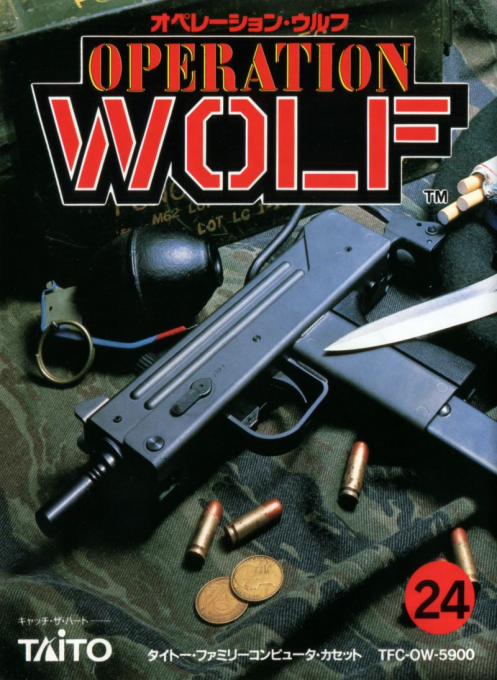
Operation Wolf
Play Operation Wolf online for NES. Aim carefully, collect ammunition and protect escaping prisoners through a dangerous rescue mission.
Browser play
Nintendo Entertainment System (NES) / Famicom — EmulatorJS controls
Default Player 1 keyboard mapping. Change keys in Controller Settings.
| Console button | Keyboard |
|---|---|
| ↑ / ↓ / ← / → | ↑ / ↓ / ← / → |
| A / B | Z / X |
| START / SELECT | Enter / V |
Open Controller Settings to configure your keyboard or gamepad. Touch controls are available on mobile.
How to Play Operation Wolf: Take no Prisoners
Quick start
Press START, choose the gunsight speed with SELECT and press START again. Move the sight with the D-pad, fire with A and save B's explosive shots for dangerous targets. Shoot ammunition and recovery items to collect them. Keep civilians out of your line of fire, then protect the prisoners crossing from right to left when they appear.
Controls
Controller: D-pad moves the sight, A fires, B launches an explosive round. START begins and pauses; SELECT chooses cursor speed on the setup screen. Famicom light gun: aim and pull the trigger for single shots; use controller B for rockets. Pull the trigger at the title to begin. Hori Track: the ball aims, A fires and B launches rockets; START starts or pauses.
Operation Wolf: Take no Prisoners — About this game
Operation Wolf turns the rescue mission into a test of target selection. Enemy soldiers and vehicles compete for your attention, while civilians and prisoners must be left unharmed. The machine gun handles ordinary targets and explosive ammunition provides heavier firepower, but supplies do not last forever. Shoot useful pickups to replenish your stock or reduce damage, and watch the status panel instead of firing continuously. At the prison camp and airport, protect captives as they cross the screen; rescuing them matters more than simply clearing enemy numbers. The game supports standard-controller aiming as well as a light gun, so a physical gun is not required for the original game. This is the Japanese Famicom release; its manual additionally documents the Hori Track trackball.
Cheats
No cheats have been added for this edition.
Player verification and sources
Browser play was reviewed before this edition was published in the catalogue. The date below is the catalogue publication date, not the game’s original release date.
- Browser test and catalogue publication date
- Browsers and devices
- PC: Chrome, Edge and Firefox. Mobile: Chrome on Android and Safari on iPhone and iPad.
- Player engine and core
- EmulatorJS 4.3.0-pre · nes
- Tested by
- rwEmulator
Sources and editorial basis
rwEmulator reviews edition metadata, release information, game manuals and first-hand browser-play notes. Available manuals are linked below; the editorial policy explains how facts are checked and corrections are handled.