More browsing paths
Play Ore ga Omae o Mamoru (Japan edition · Japanese) Online
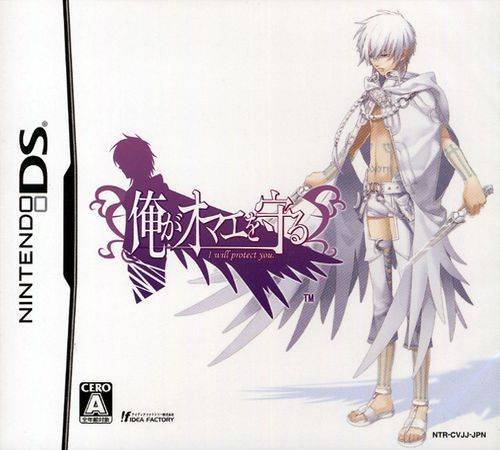
Ore ga Omae o Mamoru
Play Ore ga Omae o Mamoru online. Take guild quests and explore a side-scrolling labyrinth as the swordsman Ren. See the Nintendo DS starting guide and controls.
Browser play
Nintendo DS (NDS) — EmulatorJS controls
Default Player 1 keyboard mapping. Change keys in Controller Settings.
| Console button | Keyboard |
|---|---|
| ↑ / ↓ / ← / → | ↑ / ↓ / ← / → |
| A / B / X / Y | Z / X / A / S |
| L / R | Q / E |
| START / SELECT | Enter / V |
| Microphone | Not assigned |
Open Controller Settings to configure your keyboard or gamepad. Touch controls are available on mobile.
How to Play Ore ga Omae o Mamoru
Quick start
Accept the first guild quest, inspect equipment and enter the ruins. Practise the opening movement and attack, collect materials and return to the guild with any new skill book.
Controls
Use the displayed DS movement, jump and attack commands. Choose quests, equipment and skills through the menus; read a skill's requirements before using it at a dungeon obstacle.
Ore ga Omae o Mamoru — About this game
Ore ga Omae o Mamoru sends Ren into the Edenbal ruins to obtain a magical crystal for the grand duke. Accept tasks at the guild, fight through interconnected dungeon areas and collect materials before returning to prepare. Creating and strengthening weapons makes the village part of the exploration loop, while new skills help with obstacles as well as enemies. Begin with the first available quest, learn movement and attack reach and inspect the task before taking a deeper route. A skill book needs to be brought to the guild rather than merely carried for its effect. Character conversations develop alongside the dungeon journey, but this DS title's main progress depends on action and exploration.
Ore ga Omae o Mamoru Game manuals
Cheats
No cheats have been added for this edition.
Player verification and sources
Browser play was reviewed before this edition was published in the catalogue. The date below is the catalogue publication date, not the game’s original release date.
- Browser test and catalogue publication date
- Browsers and devices
- PC: Chrome, Edge and Firefox. Mobile: Chrome on Android and Safari on iPhone and iPad.
- Player engine and core
- EmulatorJS 4.3.0-pre · nds
- Tested by
- rwEmulator
Sources and editorial basis
rwEmulator reviews edition metadata, release information, game manuals and first-hand browser-play notes. Available manuals are linked below; the editorial policy explains how facts are checked and corrections are handled.