More browsing paths
Play Paint by DS - Military Vehicles (Europe edition · English / French / German / Spanish / Italian) Online
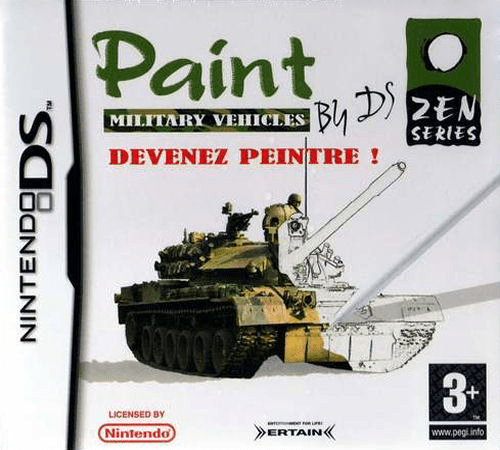
Paint by DS - Military Vehicles
Play Paint by DS - Military Vehicles online. Colour a reference picture and take a break with bonus puzzle activities.
Browser play
Nintendo DS (NDS) — EmulatorJS controls
Default Player 1 keyboard mapping. Change keys in Controller Settings.
| Console button | Keyboard |
|---|---|
| ↑ / ↓ / ← / → | ↑ / ↓ / ← / → |
| A / B / X / Y | Z / X / A / S |
| L / R | Q / E |
| START / SELECT | Enter / V |
| Microphone | Not assigned |
Open Controller Settings to configure your keyboard or gamepad. Touch controls are available on mobile.
How to Play Paint by DS - Military Vehicles
Quick start
Select a picture, choose a brush and colour, and fill a small area while comparing the model. Finish or save as the game allows, then open a bonus puzzle and read its rules.
Controls
Select the picture, palette colour and tool with the DS stylus, then draw short strokes inside the chosen region. Change to the bonus activity’s own selection or tile-moving controls when leaving the painting section.
Paint by DS - Military Vehicles — About this game
Tanks and aircraft replace the classical subjects, with memory, speed and sliding puzzles unlocking additional canvases. Choose a picture and compare the reference with the area you are colouring. Brush choice and colour selection shape the result, so begin with one small region instead of sweeping over the whole canvas. Inspect a completed stroke before changing tools, and follow the work through to its result. Bonus activities provide separate puzzle goals rather than more blank drawing space. Learn one such game’s rule before returning to the canvas. The painting and puzzle sections ask for different actions: moving a tile is not the same as applying a brush stroke.
Paint by DS - Military Vehicles Game manuals
Cheats
No cheats have been added for this edition.
Player verification and sources
Browser play was reviewed before this edition was published in the catalogue. The date below is the catalogue publication date, not the game’s original release date.
- Browser test and catalogue publication date
- Browsers and devices
- PC: Chrome, Edge and Firefox. Mobile: Chrome on Android and Safari on iPhone and iPad.
- Player engine and core
- EmulatorJS 4.3.0-pre · nds
- Tested by
- rwEmulator
Sources and editorial basis
rwEmulator reviews edition metadata, release information, game manuals and first-hand browser-play notes. Available manuals are linked below; the editorial policy explains how facts are checked and corrections are handled.