More browsing paths
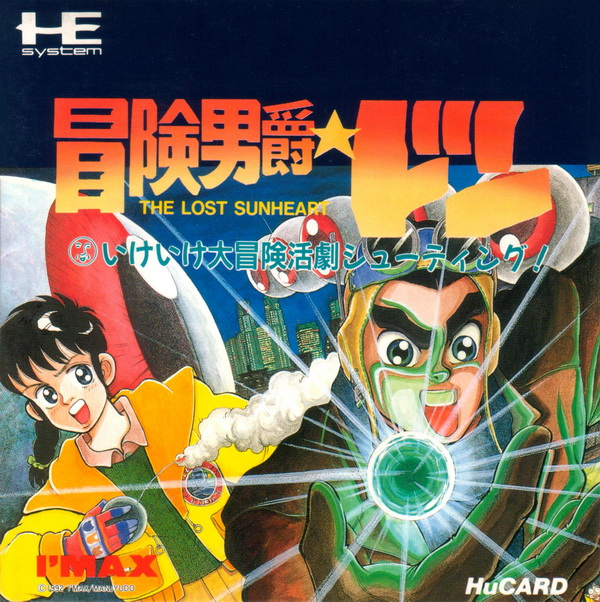
Play Bouken Danshaku Don: The Lost Sunheart (Japan edition) Online
Bouken Danshaku Don - The Lost Sunheart
Play Bouken Danshaku Don: The Lost Sunheart Online — Recover the stolen Sunheart pieces in a side-scrolling shooter filled with bizarre creatures.
Browser play
TurboGrafx-16 / PC Engine — EmulatorJS controls
Default Player 1 keyboard mapping. Change keys in Controller Settings.
| Console button | Keyboard |
|---|---|
| ↑ / ↓ / ← / → | ↑ / ↓ / ← / → |
| I / II | Z / X |
| RUN / SELECT | Enter / V |
Open Controller Settings to configure your keyboard or gamepad. Touch controls are available on mobile.
How to Play Bouken Danshaku Don: The Lost Sunheart
Quick start
Begin the first area and learn how far each special weapon reaches. Adjust speed to leave room for dodging before approaching a checkpoint or boss.
Controls
Directions move. II fires the normal shot and bombs, I uses the selected special weapon, SELECT adjusts speed and RUN pauses or selects a special weapon.
Bouken Danshaku Don: The Lost Sunheart — About this game
Recover the stolen Sunheart pieces in a side-scrolling shooter filled with bizarre creatures. Vehicles and special weapons change the attack options, and retained power-ups soften the setback of returning to a checkpoint after losing a life.
Bouken Danshaku Don: The Lost Sunheart Game manuals
Cheats
No cheats have been added for this edition.
Player verification and sources
Browser play was reviewed before this edition was published in the catalogue. The date below is the catalogue publication date, not the game’s original release date.
- Browser test and catalogue publication date
- Browsers and devices
- PC: Chrome, Edge and Firefox. Mobile: Chrome on Android and Safari on iPhone and iPad.
- Player engine and core
- EmulatorJS 4.3.0-pre · pce
- Tested by
- rwEmulator
Sources and editorial basis
rwEmulator reviews edition metadata, release information, game manuals and first-hand browser-play notes. Available manuals are linked below; the editorial policy explains how facts are checked and corrections are handled.