More browsing paths
Play Daichikun Crisis: Do Natural (Japan edition) Online
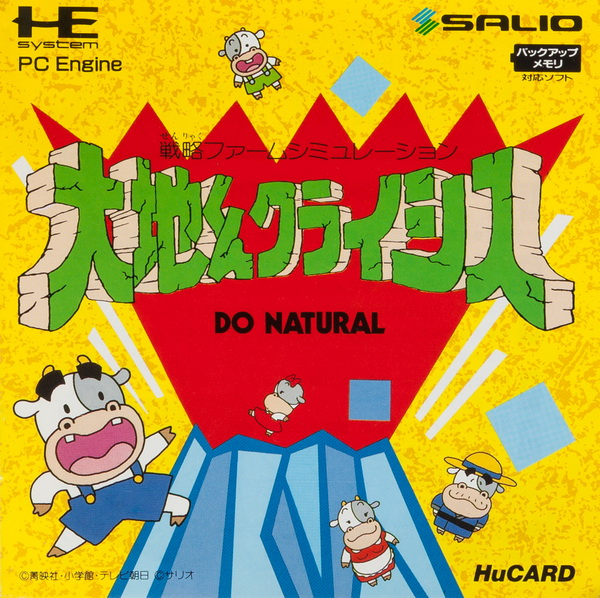
Daichi-kun Crisis - Do Natural
Play Daichikun Crisis: Do Natural Online — Daichi protects farmland while growing and selling crops to fund his island’s defense.
Browser play
TurboGrafx-16 / PC Engine — EmulatorJS controls
Default Player 1 keyboard mapping. Change keys in Controller Settings.
| Console button | Keyboard |
|---|---|
| ↑ / ↓ / ← / → | ↑ / ↓ / ← / → |
| I / II | Z / X |
| RUN / SELECT | Enter / V |
Open Controller Settings to configure your keyboard or gamepad. Touch controls are available on mobile.
How to Play Daichikun Crisis: Do Natural
Quick start
Press RUN to start. Clear a small patch of ash, choose seeds with SELECT and plant there before extending the fields.
Controls
Move with the direction pad; I clears ash or plants, II attacks, and SELECT changes seeds. RUN opens the status screen.
Daichikun Crisis: Do Natural — About this game
Daichi protects farmland while growing and selling crops to fund his island’s defense. Ash and monsters threaten the fields, turning routine planting into a race to keep the soil usable; farming, clearing ground and fighting all compete for attention in real time.
Daichikun Crisis: Do Natural Game manuals
Cheats
No cheats have been added for this edition.
Player verification and sources
Browser play was reviewed before this edition was published in the catalogue. The date below is the catalogue publication date, not the game’s original release date.
- Browser test and catalogue publication date
- Browsers and devices
- PC: Chrome, Edge and Firefox. Mobile: Chrome on Android and Safari on iPhone and iPad.
- Player engine and core
- EmulatorJS 4.3.0-pre · pce
- Tested by
- rwEmulator
Sources and editorial basis
rwEmulator reviews edition metadata, release information, game manuals and first-hand browser-play notes. Available manuals are linked below; the editorial policy explains how facts are checked and corrections are handled.