More browsing paths
Play Don Doko Don (Japan edition) Online
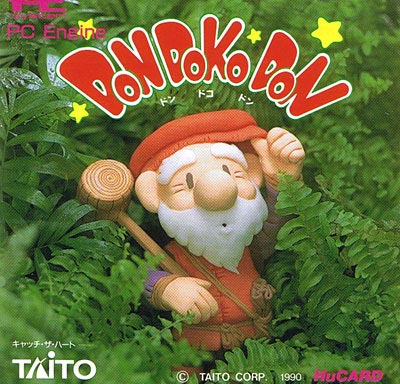
Don Doko Don!
Play Don Doko Don Online — A hammer-wielding dwarf clears compact platform stages by stunning enemies and throwing them at other foes.
Browser play
TurboGrafx-16 / PC Engine — EmulatorJS controls
Default Player 1 keyboard mapping. Change keys in Controller Settings.
| Console button | Keyboard |
|---|---|
| ↑ / ↓ / ← / → | ↑ / ↓ / ← / → |
| I / II | Z / X |
| RUN / SELECT | Enter / V |
Open Controller Settings to configure your keyboard or gamepad. Touch controls are available on mobile.
How to Play Don Doko Don
Quick start
Press RUN to start. Stun the first enemy with the hammer, pick it up and throw it toward another enemy before collecting fruit.
Controls
The direction pad moves the hero; I jumps and II attacks. RUN starts or pauses play.
Don Doko Don — About this game
A hammer-wielding dwarf clears compact platform stages by stunning enemies and throwing them at other foes. Defeated creatures leave fruit to collect, while the limited space makes it important to choose where to swing and where to carry a stunned enemy.
Don Doko Don Game manuals
Cheats
No cheats have been added for this edition.
Player verification and sources
Browser play was reviewed before this edition was published in the catalogue. The date below is the catalogue publication date, not the game’s original release date.
- Browser test and catalogue publication date
- Browsers and devices
- PC: Chrome, Edge and Firefox. Mobile: Chrome on Android and Safari on iPhone and iPad.
- Player engine and core
- EmulatorJS 4.3.0-pre · pce
- Tested by
- rwEmulator
Sources and editorial basis
rwEmulator reviews edition metadata, release information, game manuals and first-hand browser-play notes. Available manuals are linked below; the editorial policy explains how facts are checked and corrections are handled.