More browsing paths
Play Silent Debuggers (Japan edition) Online
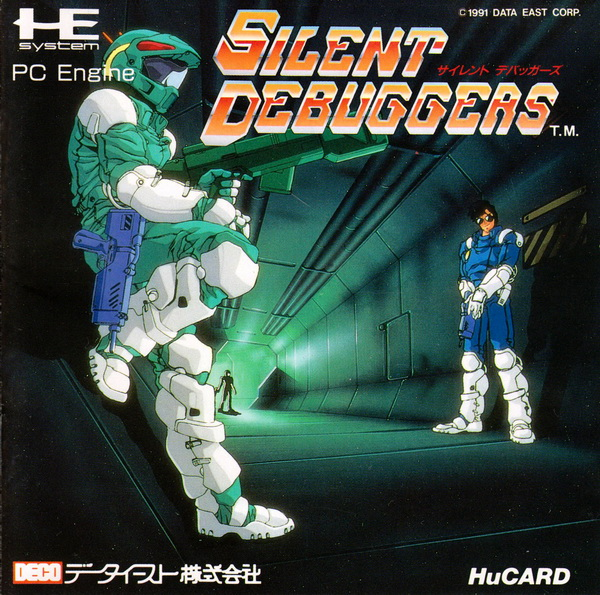
Silent Debuggers
Play Silent Debuggers Online — A debugger searches a monster-infested space station under a strict countdown.
Browser play
TurboGrafx-16 / PC Engine — EmulatorJS controls
Default Player 1 keyboard mapping. Change keys in Controller Settings.
| Console button | Keyboard |
|---|---|
| ↑ / ↓ / ← / → | ↑ / ↓ / ← / → |
| I / II | Z / X |
| RUN / SELECT | Enter / V |
Open Controller Settings to configure your keyboard or gamepad. Touch controls are available on mobile.
How to Play Silent Debuggers
Quick start
Press RUN to start. Choose NORMAL, follow an alert and practice aiming with I plus directions.
Controls
The direction pad moves; hold I with directions to aim. II fires the rifle, RUN fires the selected launcher, and SELECT opens commands or pauses.
Silent Debuggers — About this game
A debugger searches a monster-infested space station under a strict countdown. First-person combat uses sound warnings and side alerts to locate threats, while ammunition, battery energy and the path to the lower levels must be managed together.
Silent Debuggers Game manuals
Cheats
No cheats have been added for this edition.
Player verification and sources
Browser play was reviewed before this edition was published in the catalogue. The date below is the catalogue publication date, not the game’s original release date.
- Browser test and catalogue publication date
- Browsers and devices
- PC: Chrome, Edge and Firefox. Mobile: Chrome on Android and Safari on iPhone and iPad.
- Player engine and core
- EmulatorJS 4.3.0-pre · pce
- Tested by
- rwEmulator
Sources and editorial basis
rwEmulator reviews edition metadata, release information, game manuals and first-hand browser-play notes. Available manuals are linked below; the editorial policy explains how facts are checked and corrections are handled.