More browsing paths
Play Spiral Wave (Japan edition) Online
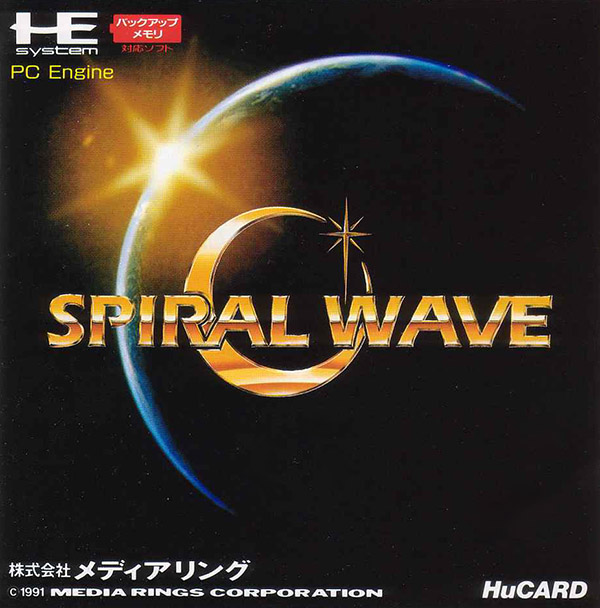
Spiral Wave
Play Spiral Wave online. Spiral Wave combines a space adventure framework with forward-flying action sequences.
Browser play
TurboGrafx-16 / PC Engine — EmulatorJS controls
Default Player 1 keyboard mapping. Change keys in Controller Settings.
| Console button | Keyboard |
|---|---|
| ↑ / ↓ / ← / → | ↑ / ↓ / ← / → |
| I / II | Z / X |
| RUN / SELECT | Enter / V |
Open Controller Settings to configure your keyboard or gamepad. Touch controls are available on mobile.
How to Play Spiral Wave
Quick start
Read the mission on the mothership, select a destination or command with the directional pad and confirm with I. In combat use I to fire, and use II RETURN before energy becomes critical; clearing every enemy is not required to move on.
Controls
Mothership: use the directional pad for command selection, I to confirm, II to change, and RUN to pause or adjust dialogue speed. Flight sections: directions steer, I fires, II uses RETURN to return temporarily to the mothership, and RUN pauses.
Spiral Wave — About this game
Spiral Wave combines a space adventure framework with forward-flying action sequences. Follow the mission information, steer through the depth of the scene and aim at approaching enemies without losing track of obstacles ahead.
Spiral Wave Game manuals
Cheats
No cheats have been added for this edition.
Player verification and sources
Browser play was reviewed before this edition was published in the catalogue. The date below is the catalogue publication date, not the game’s original release date.
- Browser test and catalogue publication date
- Browsers and devices
- PC: Chrome, Edge and Firefox. Mobile: Chrome on Android and Safari on iPhone and iPad.
- Player engine and core
- EmulatorJS 4.3.0-pre · pce
- Tested by
- rwEmulator
Sources and editorial basis
rwEmulator reviews edition metadata, release information, game manuals and first-hand browser-play notes. Available manuals are linked below; the editorial policy explains how facts are checked and corrections are handled.